> ## Documentation Index
> Fetch the complete documentation index at: https://www.presolve.com/docs/llms.txt
> Use this file to discover all available pages before exploring further.
# Create custom case-contact roles
> Define relationships and choose whether one or multiple contacts can fill a role.
Open [Settings → Contact Roles](https://attorney.dearlegal.com/dashboard/settings?tab=contact-roles). These roles describe how a person or organization relates to a case. They are separate from staff access permissions.
## Define the relationship
1. Select **Add Contact Role**.
2. Enter a **Role name** that identifies the relationship, such as a local referring attorney.
3. Choose **One contact** or **Multiple contacts** under **Contacts allowed per case**.
4. Select **Add Role** and verify that the role appears in the list.
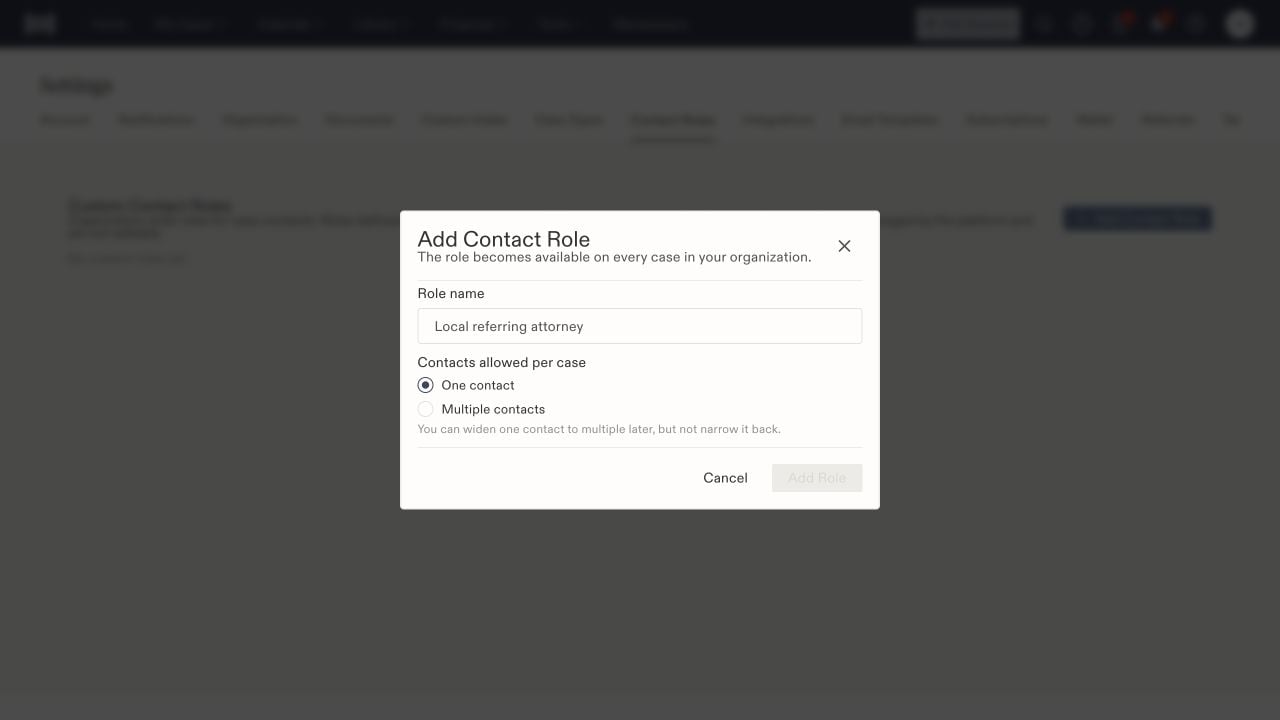 The role becomes available across your organization's cases. The form explains that you can widen a one-contact role to multiple contacts later, but cannot narrow it back. Choose the relationship's intended scope before saving.
## Understand managed roles
Built-in roles are managed by the platform and cannot be edited here. Roles supplied by a parent firm can be available to your organization while remaining managed by that parent. Check where a role is managed before creating a similarly named replacement.
## Use the role on a matter
Open the matter's **Associated Parties** area and choose **Add Contact Role**. Select the role first, then search for the intended contact or use the contact-creation option. Review the identity and relationship notes before linking it.
After saving, confirm the contact appears on the intended case with the correct role. Linking a contact does not grant that person a staff login or change employee permissions. For those controls, use [organization access roles](/docs/help/admin/roles).
The role becomes available across your organization's cases. The form explains that you can widen a one-contact role to multiple contacts later, but cannot narrow it back. Choose the relationship's intended scope before saving.
## Understand managed roles
Built-in roles are managed by the platform and cannot be edited here. Roles supplied by a parent firm can be available to your organization while remaining managed by that parent. Check where a role is managed before creating a similarly named replacement.
## Use the role on a matter
Open the matter's **Associated Parties** area and choose **Add Contact Role**. Select the role first, then search for the intended contact or use the contact-creation option. Review the identity and relationship notes before linking it.
After saving, confirm the contact appears on the intended case with the correct role. Linking a contact does not grant that person a staff login or change employee permissions. For those controls, use [organization access roles](/docs/help/admin/roles).