> ## Documentation Index
> Fetch the complete documentation index at: https://www.presolve.com/docs/llms.txt
> Use this file to discover all available pages before exploring further.
# Choose notification channels
> Review personal email and SMS preferences and the in-app bell.
Open [Settings → Notifications](https://attorney.dearlegal.com/dashboard/settings?tab=notifications). These preferences control which notification types you receive by email and SMS.
## Review the settings
1. Check the master Email and SMS switches in **Account** settings first.
2. Return to **Notifications** and expand the relevant category.
3. Review its individual notification types and each channel's switch.
4. Make the intended changes, select **Save Changes**, and reopen the page to check the saved preferences.
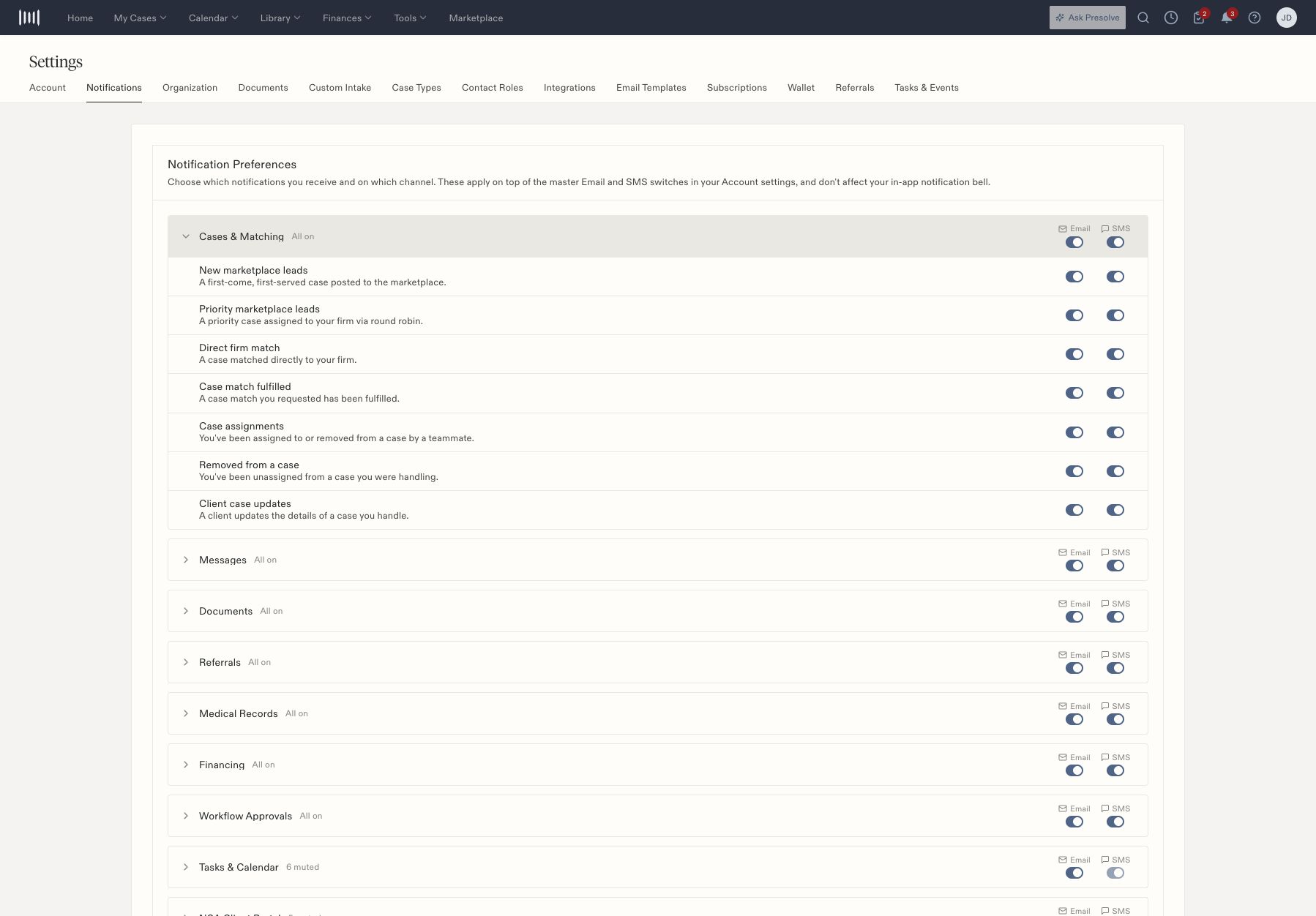 The page states that these preferences apply on top of the Account master switches. They do not affect the in-app notification bell. A category can contain mixed settings even when its group-level switch appears on, so expand it when checking one particular event.
## When a notification is missing
Check the event type, individual channel, and master switch. Then verify the underlying action occurred and that you were an intended recipient. A saved preference does not itself generate an event or establish email/SMS delivery.
Document reminder configuration and internal e-sign notification rules are in **Settings → Documents**. Task-specific **Notify Client** is a separate choice when creating or editing a task.
Related: [Create a task](/docs/help/tasks/create-and-track) and [integration status](/docs/help/integrations/overview).
The page states that these preferences apply on top of the Account master switches. They do not affect the in-app notification bell. A category can contain mixed settings even when its group-level switch appears on, so expand it when checking one particular event.
## When a notification is missing
Check the event type, individual channel, and master switch. Then verify the underlying action occurred and that you were an intended recipient. A saved preference does not itself generate an event or establish email/SMS delivery.
Document reminder configuration and internal e-sign notification rules are in **Settings → Documents**. Task-specific **Notify Client** is a separate choice when creating or editing a task.
Related: [Create a task](/docs/help/tasks/create-and-track) and [integration status](/docs/help/integrations/overview).