> ## Documentation Index
> Fetch the complete documentation index at: https://www.presolve.com/docs/llms.txt
> Use this file to discover all available pages before exploring further.
# Create and save a matter document
> Start a blank document from a case and reopen your saved work.
Create a blank document when you want to write directly in Presolve and keep the draft connected to a matter.
Before you start, open the correct case from [My Cases](https://attorney.dearlegal.com/dashboard/cases). Check the case name and number.
## Start the document
1. Open the matter's **Documents** area. In a workspace with side navigation, expand **Case Assets**, then select **Documents**.
2. Select **New document**.
3. In **New Draft**, select **Blank document**.
4. If you return to the document list, select the new **Untitled document** row to open it.
## Write and save
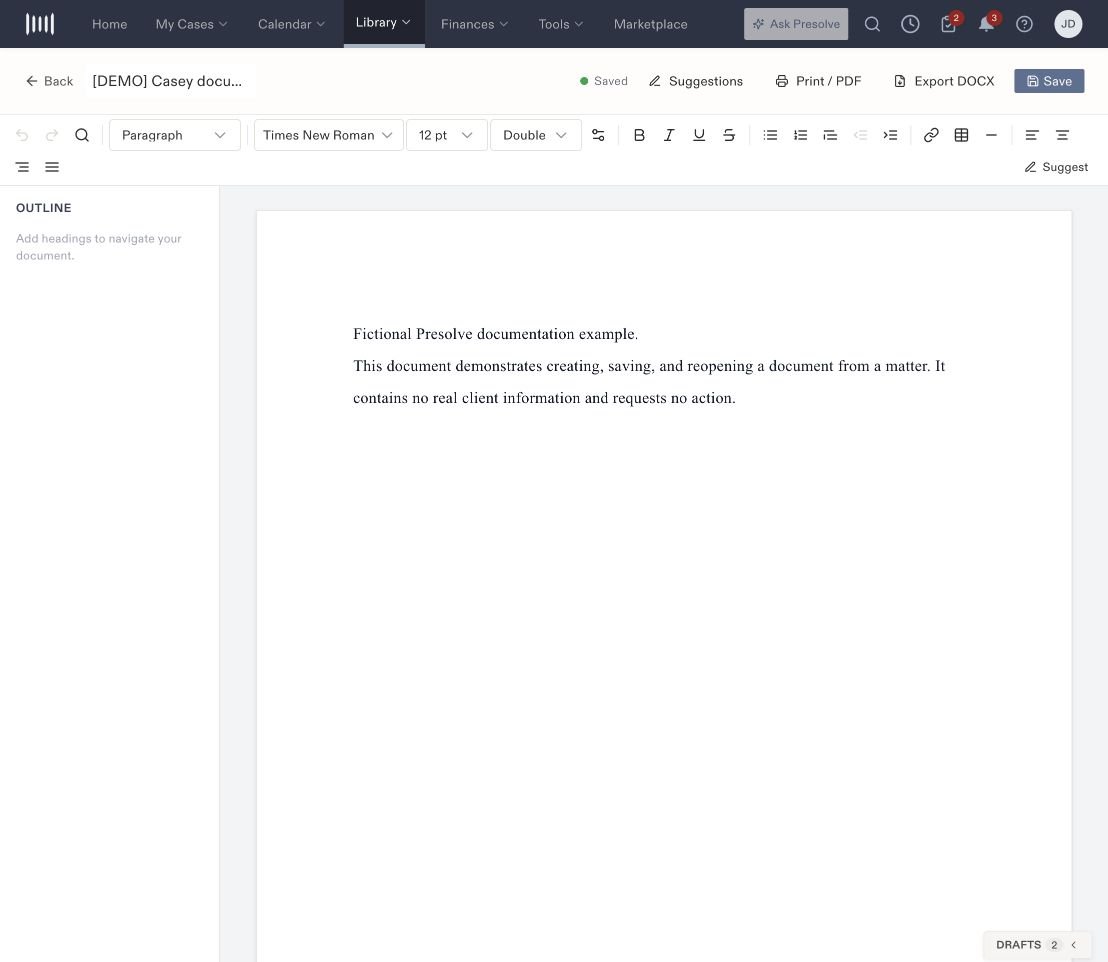
1. Replace **Untitled document** at the top with a descriptive title.
2. Click the page and enter your text.
3. Use the toolbar for headings, emphasis, lists, font, spacing, and alignment.
4. Select **Save** and wait for **Saved** beside the title.
5. Return to the matter's Documents area and reopen the draft to check your work.
 ## Find text or review edits
Use **Find and replace** to locate wording in the document. **Suggest** turns on tracked suggestions, and **Suggestions** opens the review controls. Check the current mode before editing so your changes are recorded in the way you intend.
If your latest change is missing, check that **Saved** appeared before you left the editor and that you reopened the correct document.
Saving a draft stores your work in Presolve. It does not send it to a recipient or start a signature request. Related: [Organize files in Library](/docs/help/documents/library).
## Find text or review edits
Use **Find and replace** to locate wording in the document. **Suggest** turns on tracked suggestions, and **Suggestions** opens the review controls. Check the current mode before editing so your changes are recorded in the way you intend.
If your latest change is missing, check that **Saved** appeared before you left the editor and that you reopened the correct document.
Saving a draft stores your work in Presolve. It does not send it to a recipient or start a signature request. Related: [Organize files in Library](/docs/help/documents/library).