> ## Documentation Index
> Fetch the complete documentation index at: https://www.presolve.com/docs/llms.txt
> Use this file to discover all available pages before exploring further.
# Organize files in Library
> Create a folder, move a file, and confirm its new location.
Use [Library](https://attorney.dearlegal.com/dashboard/library) to browse and organize firm documents. For a document belonging to one matter, you can also start from that matter's **Documents** area.
 ## Create a folder
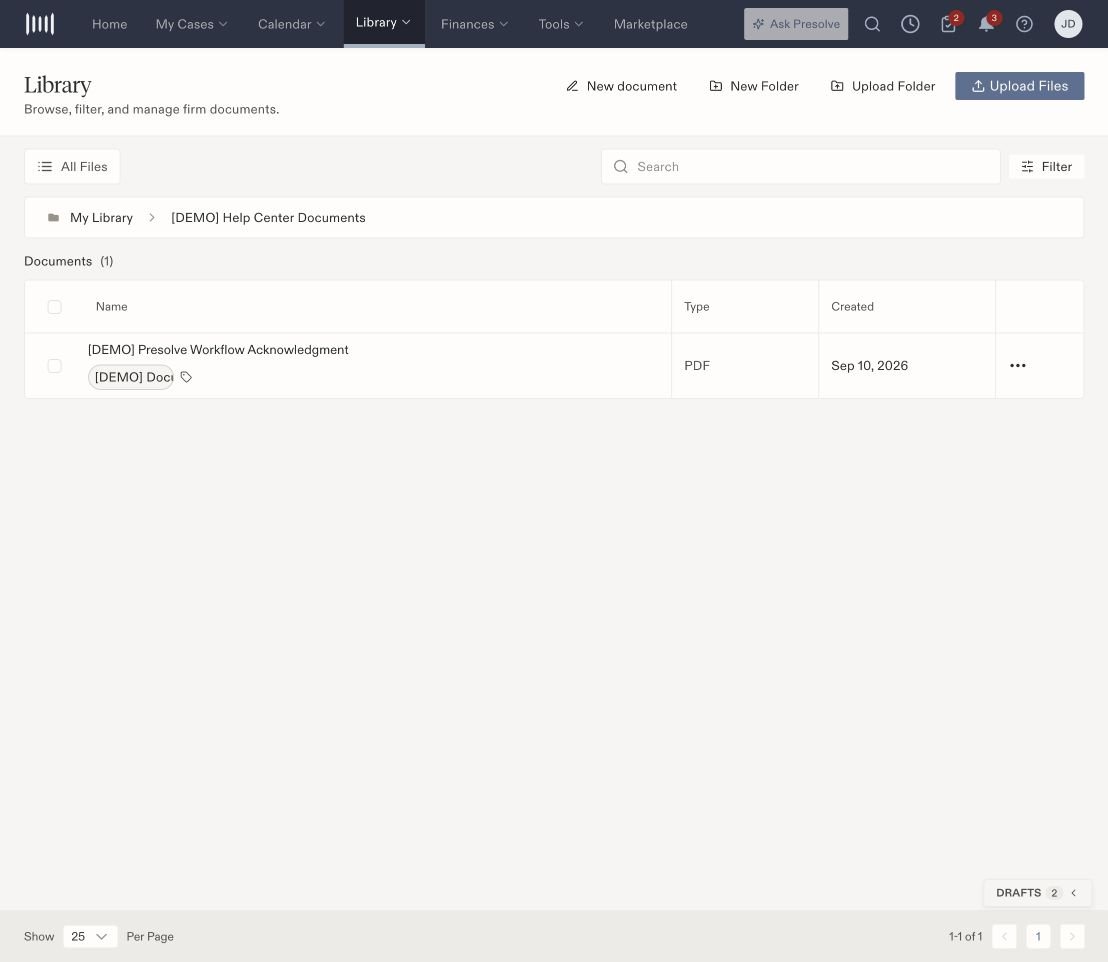
1. Open **Library** and navigate to the location where you want the folder.
2. Select **New Folder**.
3. Enter a recognizable name and save.
4. Open the folder and check the location trail above the file list.
Choose names that your team can recognize, such as the document purpose or the stage of work.
## Move an existing file
1. Find the file in Library.
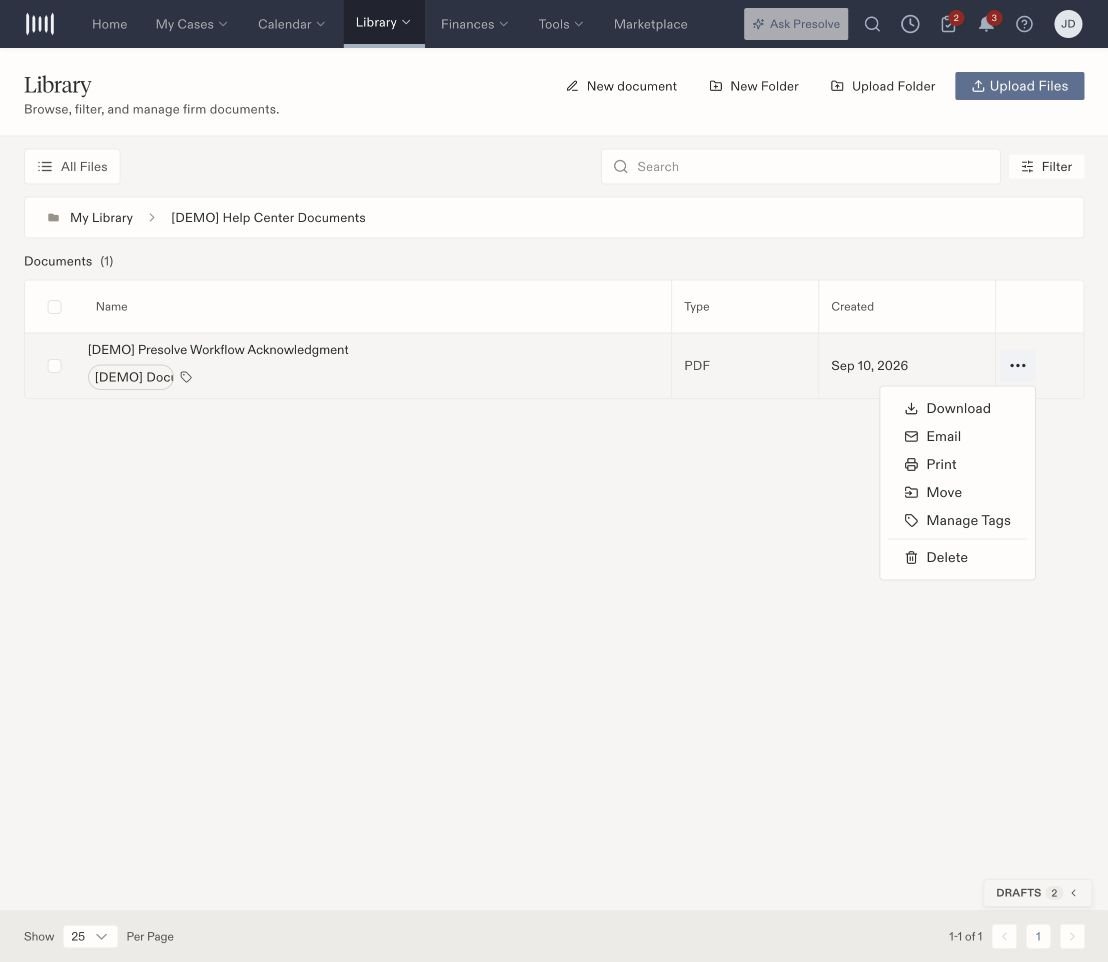
2. Open the three-dot **File actions** menu at the end of its row.
3. Select **Move**.
4. Open the destination folder in the picker. Check the location trail before continuing.
5. Select **Move Here**.
6. Open the destination folder and confirm that the file appears there.
## Create a folder
1. Open **Library** and navigate to the location where you want the folder.
2. Select **New Folder**.
3. Enter a recognizable name and save.
4. Open the folder and check the location trail above the file list.
Choose names that your team can recognize, such as the document purpose or the stage of work.
## Move an existing file
1. Find the file in Library.
2. Open the three-dot **File actions** menu at the end of its row.
3. Select **Move**.
4. Open the destination folder in the picker. Check the location trail before continuing.
5. Select **Move Here**.
6. Open the destination folder and confirm that the file appears there.
 ## Open a file or find it again
Select the filename to open it. A PDF opens in a viewer with page and zoom controls. Use the search field and filters to narrow the file list. If you are looking in a folder and cannot find a file, check its location and try **All Files**.
Moving a file organizes its location. To label what it contains, [add document tags](/docs/help/documents/tags). To write a new matter document, [start a blank document](/docs/help/documents/create-document).
For reusable signing documents, see [e-sign template preparation](/docs/help/documents/esign-templates).
## Open a file or find it again
Select the filename to open it. A PDF opens in a viewer with page and zoom controls. Use the search field and filters to narrow the file list. If you are looking in a folder and cannot find a file, check its location and try **All Files**.
Moving a file organizes its location. To label what it contains, [add document tags](/docs/help/documents/tags). To write a new matter document, [start a blank document](/docs/help/documents/create-document).
For reusable signing documents, see [e-sign template preparation](/docs/help/documents/esign-templates).