> ## Documentation Index
> Fetch the complete documentation index at: https://www.presolve.com/docs/llms.txt
> Use this file to discover all available pages before exploring further.
# Review text-messaging setup
> Choose the configured provider and understand why case texting may be unavailable.
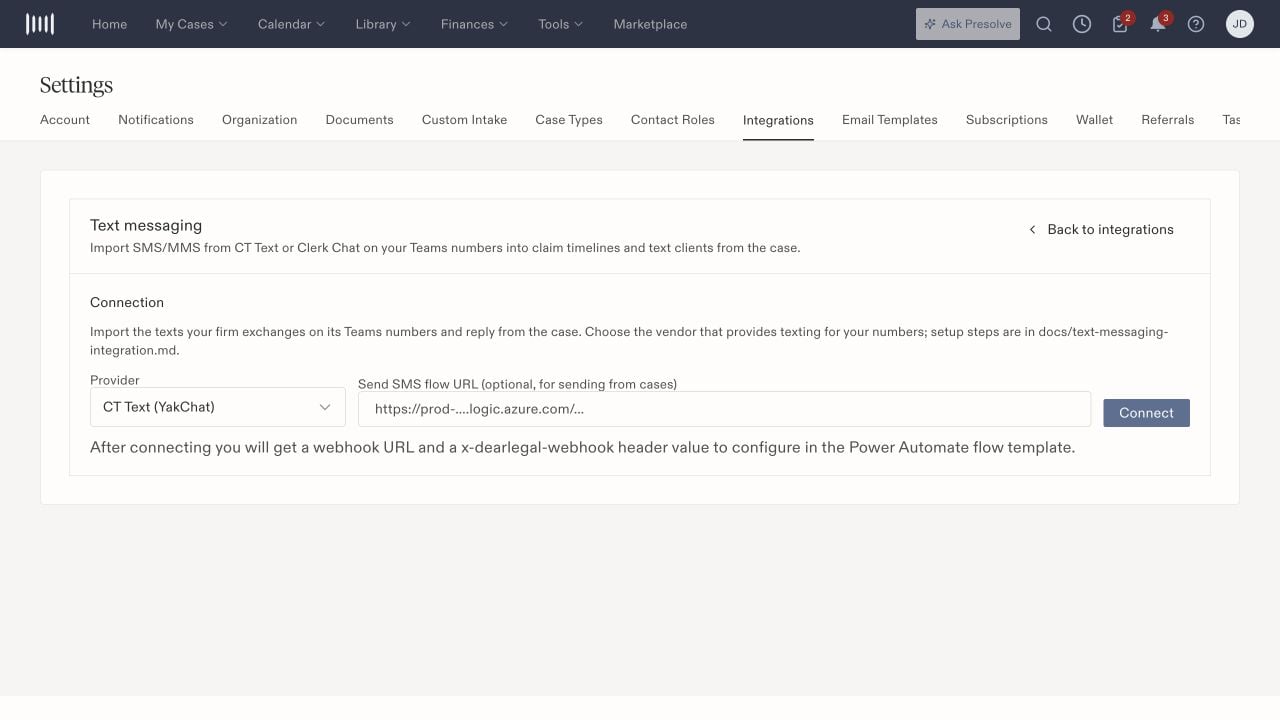
Open **Text messaging** in [Settings → Integrations](https://attorney.dearlegal.com/dashboard/settings?tab=integrations). The setup distinguishes **CT Text / YakChat** from **Clerk Chat**.
## Identify the sending setup
Before configuring the connection, confirm which provider and sending number your firm uses. The CT Text setup includes an optional **Send SMS flow URL**, a **Connect** control, and connection/webhook instructions.
Have the integration owner complete the provider-specific setup. Use the instructions associated with the selected provider; the two provider choices should not be treated as interchangeable account credentials.
## Find case texts
Text availability depends on the organization's enabled features and configured texting service. An absent Texts view in Records does not by itself mean earlier messages were deleted.
When reviewing a conversation, confirm the matter and recipient number, then inspect the available message and attachment details. A provider connection does not prove a particular message was delivered.
## Troubleshoot with the right information
| Symptom | First check |
| - | - |
| Texts view is absent | Ask whether texting is enabled and configured for this organization. |
| Conversation is not where expected | Check the matter, participant number, and selected filters. |
| Expected outgoing text is missing | Identify the intended sending provider/number and the specific message with the integration owner. |
| Attachment is not visible | Inspect the actual conversation and attachment result, not only the original file. |
For delivery, attachments, and opt-out questions, have the integration owner check the specific conversation and provider result. These outcomes are separate from completing setup.
 Related: [Integration overview](/docs/help/integrations/overview).