> ## Documentation Index
> Fetch the complete documentation index at: https://www.presolve.com/docs/llms.txt
> Use this file to discover all available pages before exploring further.
# Apply and remove case tags
> Use your organization’s tags to label a matter.
Case tags let staff apply the labels configured by their organization. Start from [My Cases](https://attorney.dearlegal.com/dashboard/cases) and open the case you want to update.
## Apply an existing tag
1. Select the **tag icon and count** near the case name. This is separate from the flag control.
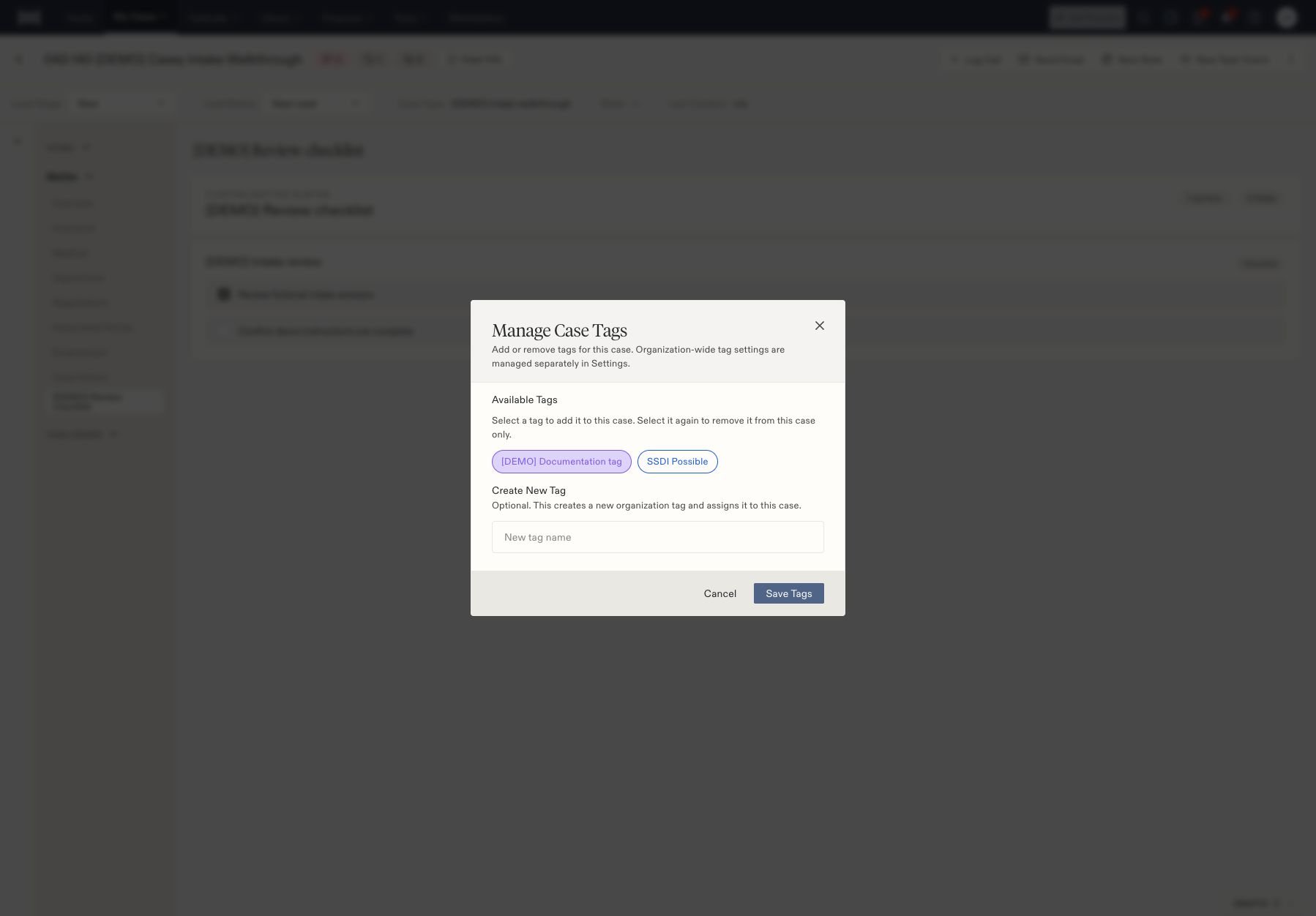
2. In **Manage Case Tags**, select the tag under **Available Tags**.
3. Select **Save Tags**.
4. Reopen the picker to confirm the tag remains selected. The header count reflects the case's assigned tags.
 ## Remove a tag from this case
Open the same picker, select the assigned tag again to clear it, and select **Save Tags**. This removes the assignment from the current case. Organization-wide tag settings are managed separately in **Settings**.
## Create a label when needed
The picker also has **Create New Tag**. Entering a name and saving creates an organization tag and assigns it to this case. Check your firm's naming conventions before creating a new label.
Your firm may configure automatic actions for particular tags. Check with your administrator before applying a tag whose purpose you do not recognize. The saved tag selection confirms the label; check any resulting record separately.
If the tag is missing after saving, verify the case name and reopen the picker. For labels on individual files, see [document tags](/docs/help/documents/tags).
Administrators can [configure tag automation](/docs/help/admin/tag-automation) separately from applying a label to a case.
## Remove a tag from this case
Open the same picker, select the assigned tag again to clear it, and select **Save Tags**. This removes the assignment from the current case. Organization-wide tag settings are managed separately in **Settings**.
## Create a label when needed
The picker also has **Create New Tag**. Entering a name and saving creates an organization tag and assigns it to this case. Check your firm's naming conventions before creating a new label.
Your firm may configure automatic actions for particular tags. Check with your administrator before applying a tag whose purpose you do not recognize. The saved tag selection confirms the label; check any resulting record separately.
If the tag is missing after saving, verify the case name and reopen the picker. For labels on individual files, see [document tags](/docs/help/documents/tags).
Administrators can [configure tag automation](/docs/help/admin/tag-automation) separately from applying a label to a case.