> ## Documentation Index
> Fetch the complete documentation index at: https://www.presolve.com/docs/llms.txt
> Use this file to discover all available pages before exploring further.
# Find your way around family-law matters
> Locate divorce and custody workspaces and understand recorded actions.
Open the matter from [My Cases](https://attorney.dearlegal.com/dashboard/cases). Check its case type and available tabs. Divorce and custody layouts have different stages; use the labels on the matter you are handling.
## Divorce workspace
**Evidence** groups supporting material and displays request states such as **Waiting on Plaintiff** and **Plaintiff Acknowledged**. Those labels describe the request state; inspect the actual files before treating an evidence category as complete.
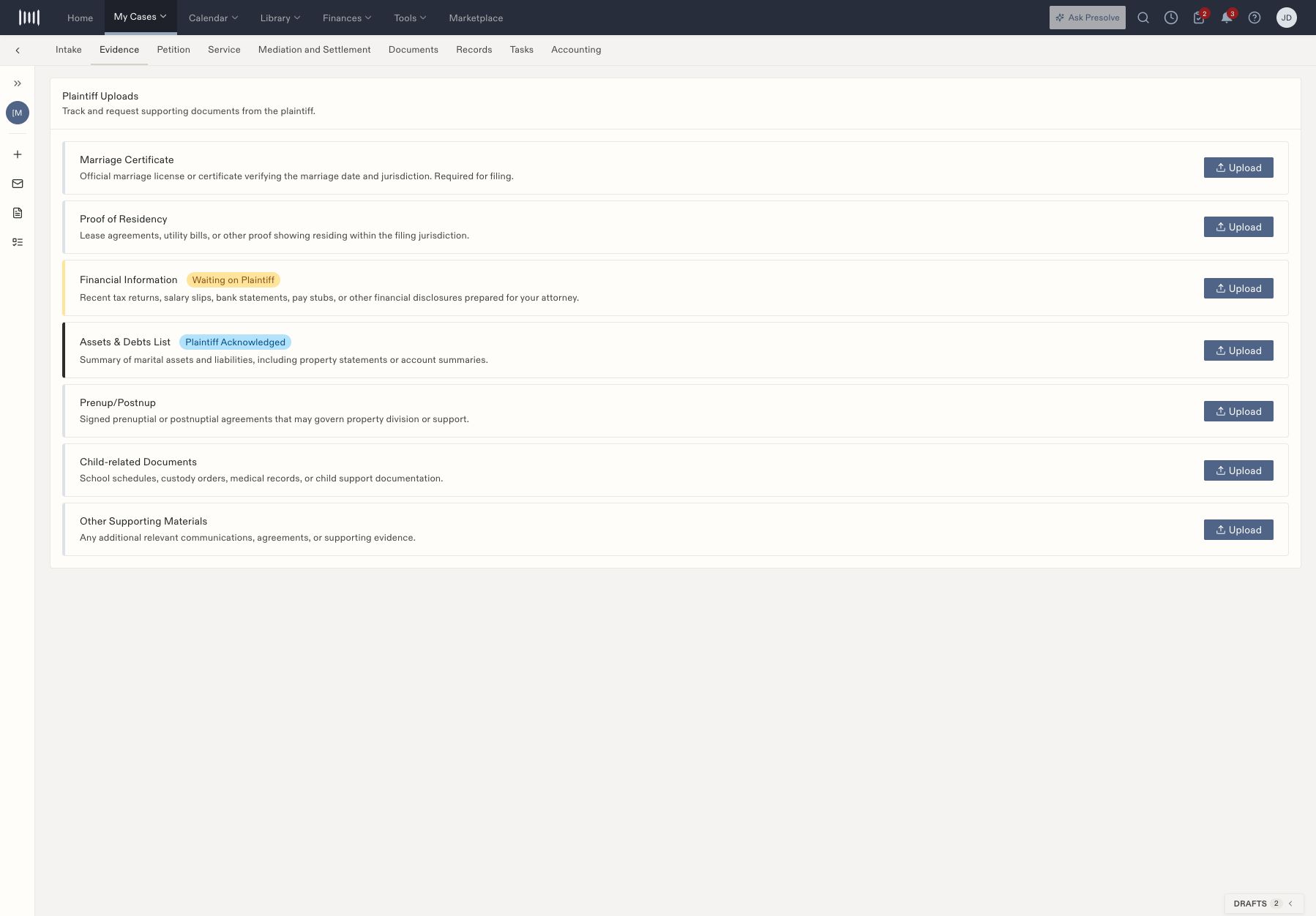 **Petition** holds party/attorney details and the document pipeline. **Service** holds service information and proof-of-service material. **Mediation and Settlement** brings together mediation details, settlement notes, agreement material, and finalization tasks.
## Custody workspace
In addition to Evidence and Petition, the custody layout can include **Mediation and Court Prep**, **Custody Hearing**, **Final Order Review**, **Post-Order Compliance**, and **Post-Order Enforcement**. Read prerequisite messages before using gated controls. A form labeled Coming soon is not an available completed document.
Some custody actions explicitly record information rather than perform an external act: **Sign & Submit** records metadata, **Record client notified** records a stage or status, and **Record motion filed** records workflow progress. Complete and verify the actual signing, notification, or filing through the appropriate process.
## Shared work
Use [Documents](/docs/help/documents/create-document), [Tasks](/docs/help/tasks/create-and-track), and [Accounting](/docs/help/accounting/invoice-review) for shared case work. The example's jurisdiction-specific labels and dates are not instructions for every court or family-law case; follow the responsible attorney's requirements.
## Record divorce service information
Open **Service** and compare the service status, date, process-server name, email, phone, and notes with the actual service record. Use the field's edit control to correct a value and confirm the saved result. Under **Proof of Service**, use **Upload** for the affidavit or supporting document and verify that the intended file appears.
**Petition** holds party/attorney details and the document pipeline. **Service** holds service information and proof-of-service material. **Mediation and Settlement** brings together mediation details, settlement notes, agreement material, and finalization tasks.
## Custody workspace
In addition to Evidence and Petition, the custody layout can include **Mediation and Court Prep**, **Custody Hearing**, **Final Order Review**, **Post-Order Compliance**, and **Post-Order Enforcement**. Read prerequisite messages before using gated controls. A form labeled Coming soon is not an available completed document.
Some custody actions explicitly record information rather than perform an external act: **Sign & Submit** records metadata, **Record client notified** records a stage or status, and **Record motion filed** records workflow progress. Complete and verify the actual signing, notification, or filing through the appropriate process.
## Shared work
Use [Documents](/docs/help/documents/create-document), [Tasks](/docs/help/tasks/create-and-track), and [Accounting](/docs/help/accounting/invoice-review) for shared case work. The example's jurisdiction-specific labels and dates are not instructions for every court or family-law case; follow the responsible attorney's requirements.
## Record divorce service information
Open **Service** and compare the service status, date, process-server name, email, phone, and notes with the actual service record. Use the field's edit control to correct a value and confirm the saved result. Under **Proof of Service**, use **Upload** for the affidavit or supporting document and verify that the intended file appears.
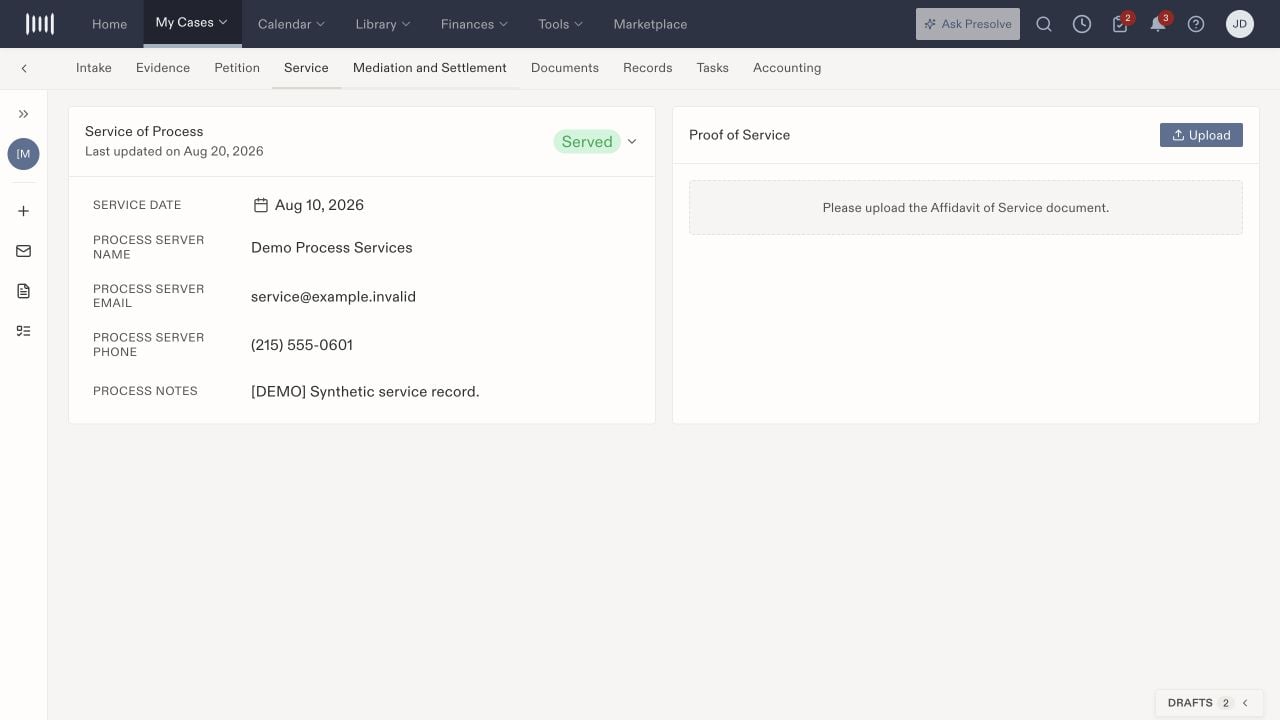 Recording Served does not supply the missing proof document or perform service. Follow the responsible attorney's process for verifying service and its effective date.
## Track divorce mediation and finalization
Open **Mediation and Settlement** to review the status, mediation date, ADR deadline, settlement notes, and draft agreement. Edit the relevant field when information changes, then check it again after saving. Use **Upload** for the draft agreement and review the actual file before relying on its presence.
Recording Served does not supply the missing proof document or perform service. Follow the responsible attorney's process for verifying service and its effective date.
## Track divorce mediation and finalization
Open **Mediation and Settlement** to review the status, mediation date, ADR deadline, settlement notes, and draft agreement. Edit the relevant field when information changes, then check it again after saving. Use **Upload** for the draft agreement and review the actual file before relying on its presence.
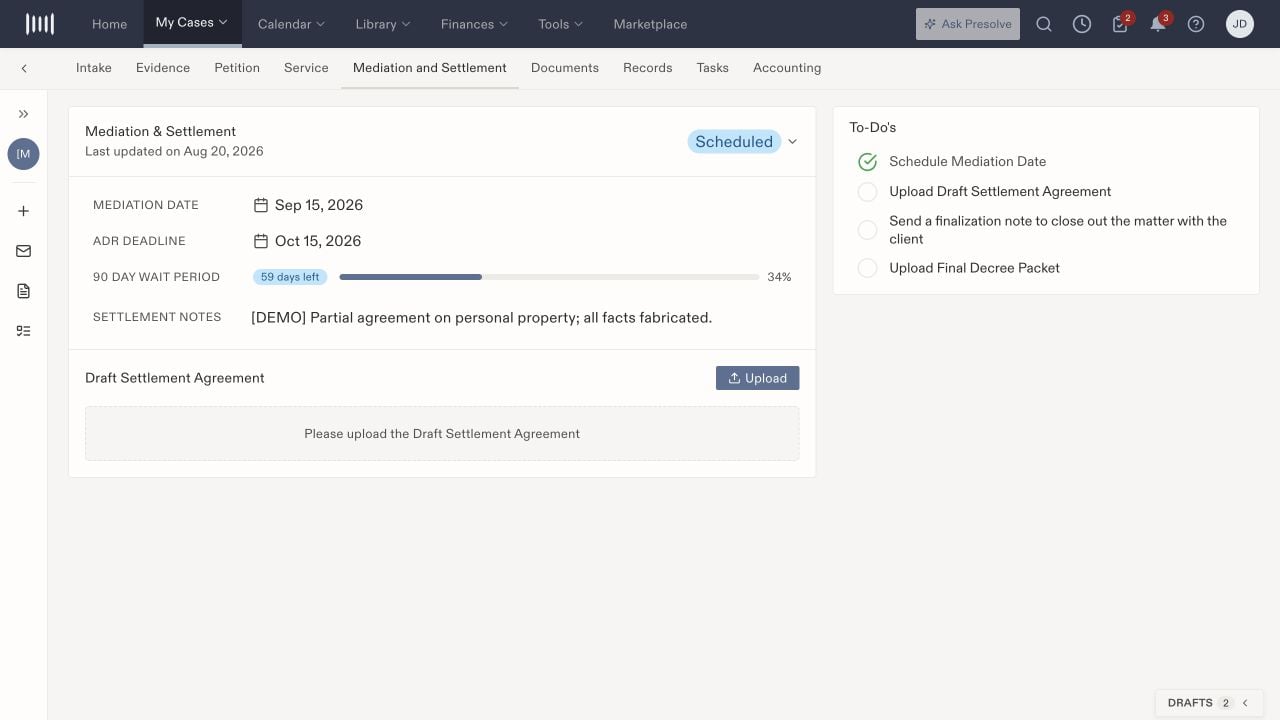 Use the to-dos to identify remaining work, such as an agreement, finalization communication, or decree packet. A wait-period display is part of the configured workspace; verify the applicable dates with the attorney rather than treating the example as a rule for every case.
## Work through custody stages
| Stage | What staff review or record |
| - | - |
| Evidence | Evidence categories, request states, and actual supporting files. Acknowledgment and receipt of every needed document are separate checks. |
| Petition | Attorney and party information, additional complaint fields, and the document sequence. Follow the available step and its prerequisites; forms labeled Coming soon cannot be treated as generated packets. |
| Mediation and Court Prep | Mediation status, date, location, notes, hearing readiness, and supporting documents. Outcome choices may remain disabled until a result is recorded. |
| Custody Hearing | Hearing date, judge, court, room, court packet, and the actual outcome: order entered, continued, or settlement. |
| Final Order Review | The signed order and its custody type, parenting schedule, decision authority, support, holidays, and travel provisions. Verify the document before recording review progress. |
| Post-Order Compliance | Support, parenting follow-ups, visitation, and other obligations. Use Log Event for an observed date, category, status, summary, and notes. |
| Post-Order Enforcement | Violation reports and supporting noncompliance, safety/incident, or motion-draft documents. Check prerequisites before using report or motion actions. |
In **Post-Order Compliance**, distinguish logging an event, uploading a motion, recording that a motion was filed, escalation, and closing the case. A closure control can remain unavailable while prerequisites are incomplete. Record what actually happened and create assigned follow-up tasks where needed.
Use the to-dos to identify remaining work, such as an agreement, finalization communication, or decree packet. A wait-period display is part of the configured workspace; verify the applicable dates with the attorney rather than treating the example as a rule for every case.
## Work through custody stages
| Stage | What staff review or record |
| - | - |
| Evidence | Evidence categories, request states, and actual supporting files. Acknowledgment and receipt of every needed document are separate checks. |
| Petition | Attorney and party information, additional complaint fields, and the document sequence. Follow the available step and its prerequisites; forms labeled Coming soon cannot be treated as generated packets. |
| Mediation and Court Prep | Mediation status, date, location, notes, hearing readiness, and supporting documents. Outcome choices may remain disabled until a result is recorded. |
| Custody Hearing | Hearing date, judge, court, room, court packet, and the actual outcome: order entered, continued, or settlement. |
| Final Order Review | The signed order and its custody type, parenting schedule, decision authority, support, holidays, and travel provisions. Verify the document before recording review progress. |
| Post-Order Compliance | Support, parenting follow-ups, visitation, and other obligations. Use Log Event for an observed date, category, status, summary, and notes. |
| Post-Order Enforcement | Violation reports and supporting noncompliance, safety/incident, or motion-draft documents. Check prerequisites before using report or motion actions. |
In **Post-Order Compliance**, distinguish logging an event, uploading a motion, recording that a motion was filed, escalation, and closing the case. A closure control can remain unavailable while prerequisites are incomplete. Record what actually happened and create assigned follow-up tasks where needed.