

Record a standalone expense
- Select Add Expense.
- Search for the Vendor / Payee. Use New only if the correct contact does not already exist.
- Select Expense Type, enter the amount, and set Date Charged.
- Enter a clear description and any invoice reference. Review the invoice due-date field when applicable.
- If you have accounting permission, review Paid By and Payment Timing. Otherwise, leave payment preparation to accounting.
- Set the settlement options, add notes, and choose a supporting document from Library.
- Select Add Case Expense, then verify the saved row and its details.
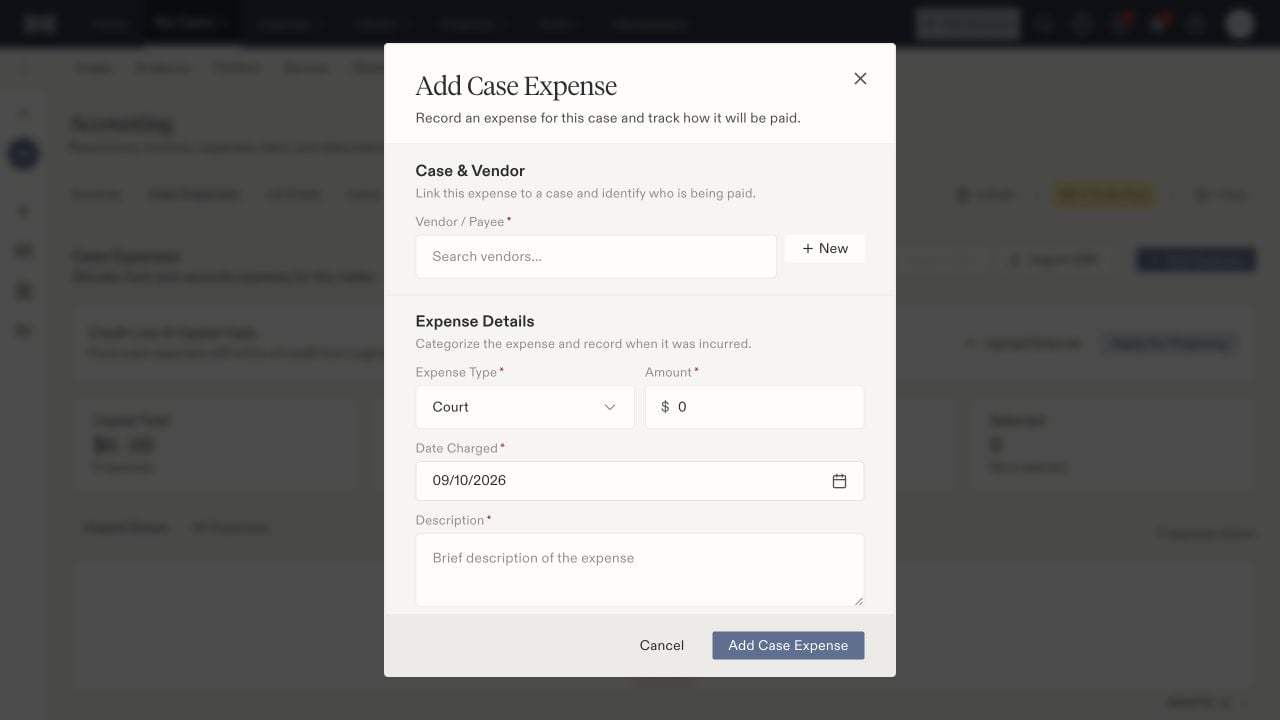
An expense records the payee, category, charge date, amount, and description.
Distinguish timing from payment
Pay Now places an expense in the payment queue. The form explains that it becomes paid only when Mark this as paid is selected or a payment completes. Use the paid checkbox to record evidence of an actual payment, not simply because the expense is approved. Paid By can remain Not decided when accounting will choose funding later. Review the saved funding and status when the invoice or expense passes through approval and staging.Review settlement treatment
Reimbursable from settlement and Include in settlement breakdown are separate choices. Review both for each expense; the standalone expense form and the inbound invoice wizard can start with different defaults.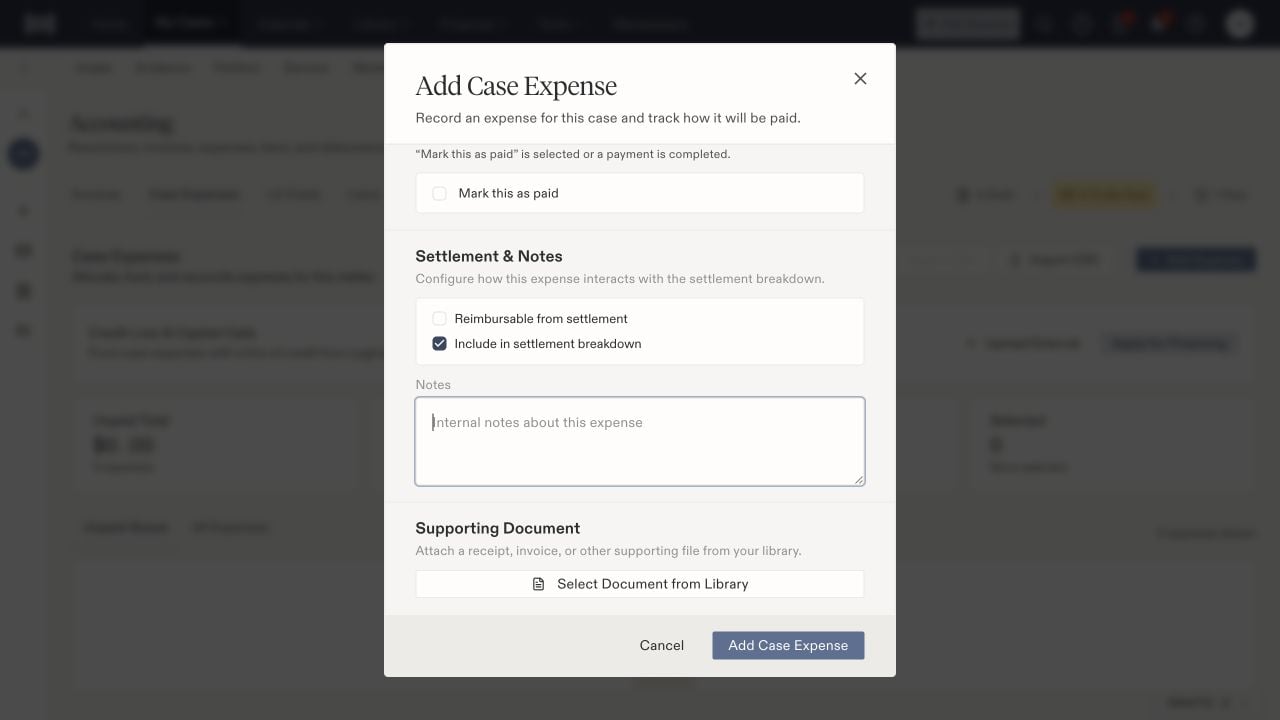
Settlement reimbursement, inclusion in the breakdown, and supporting documents are separate settings.