

Find the right tool
Search by task, tool, output, or intent. The tabs narrow the shelf to All, Ready, Case-ready, Batch, or External tools. You can also filter by domain, such as Medical or Immigration, and capability, such as Analyze or Generate. Counts reflect the current catalog and filters. Select a tool to read What it does, Inputs, and Output. A Ready label describes availability in the catalog; check that you have the case context and required information before running it.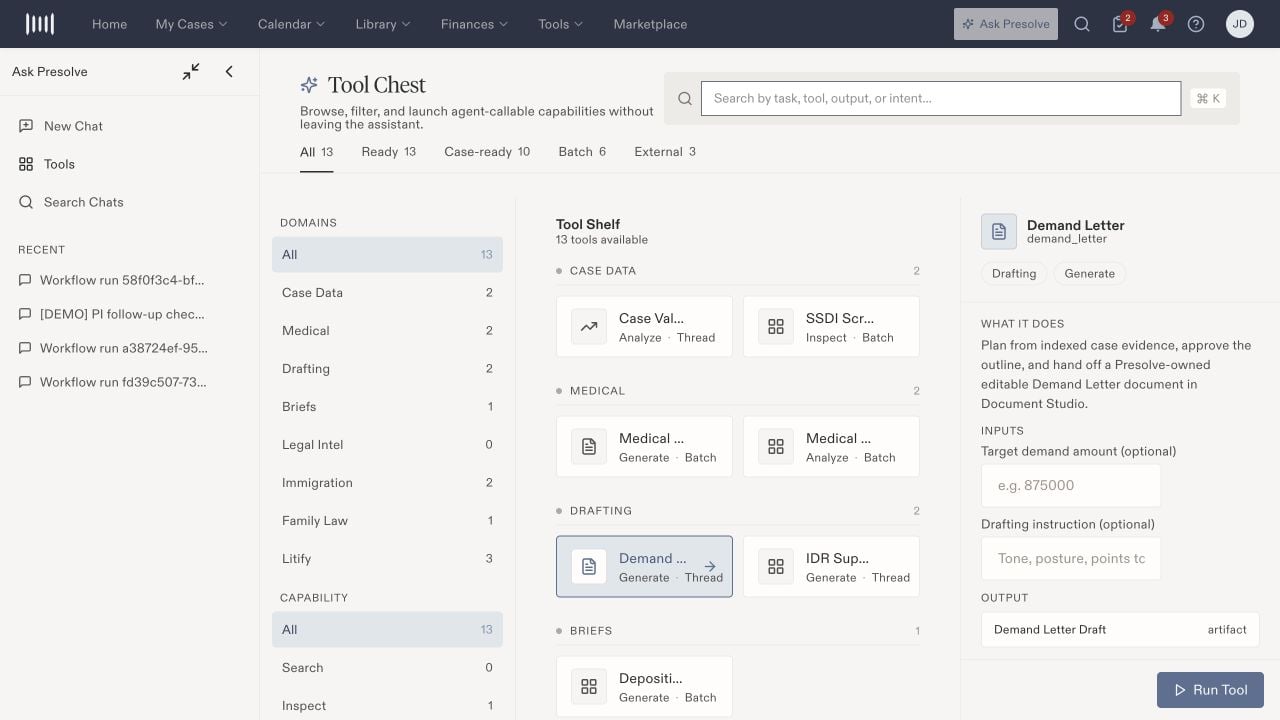
The Tool Chest with Demand Letter selected and its optional inputs visible.
Prepare the inputs
Copy case and external identifiers from the intended record. Names and identifiers are not interchangeable. If you cannot identify the required external record, ask the administrator responsible for that connection.
Run and review
- Confirm the selected tool and case context.
- Complete the required inputs and review optional settings.
- Select Run Tool when ready to start the described work.
- Follow any additional input or approval steps in the resulting thread.
- Review the output against the underlying documents before using it. Open the resulting document or case record to confirm what was actually created or changed.