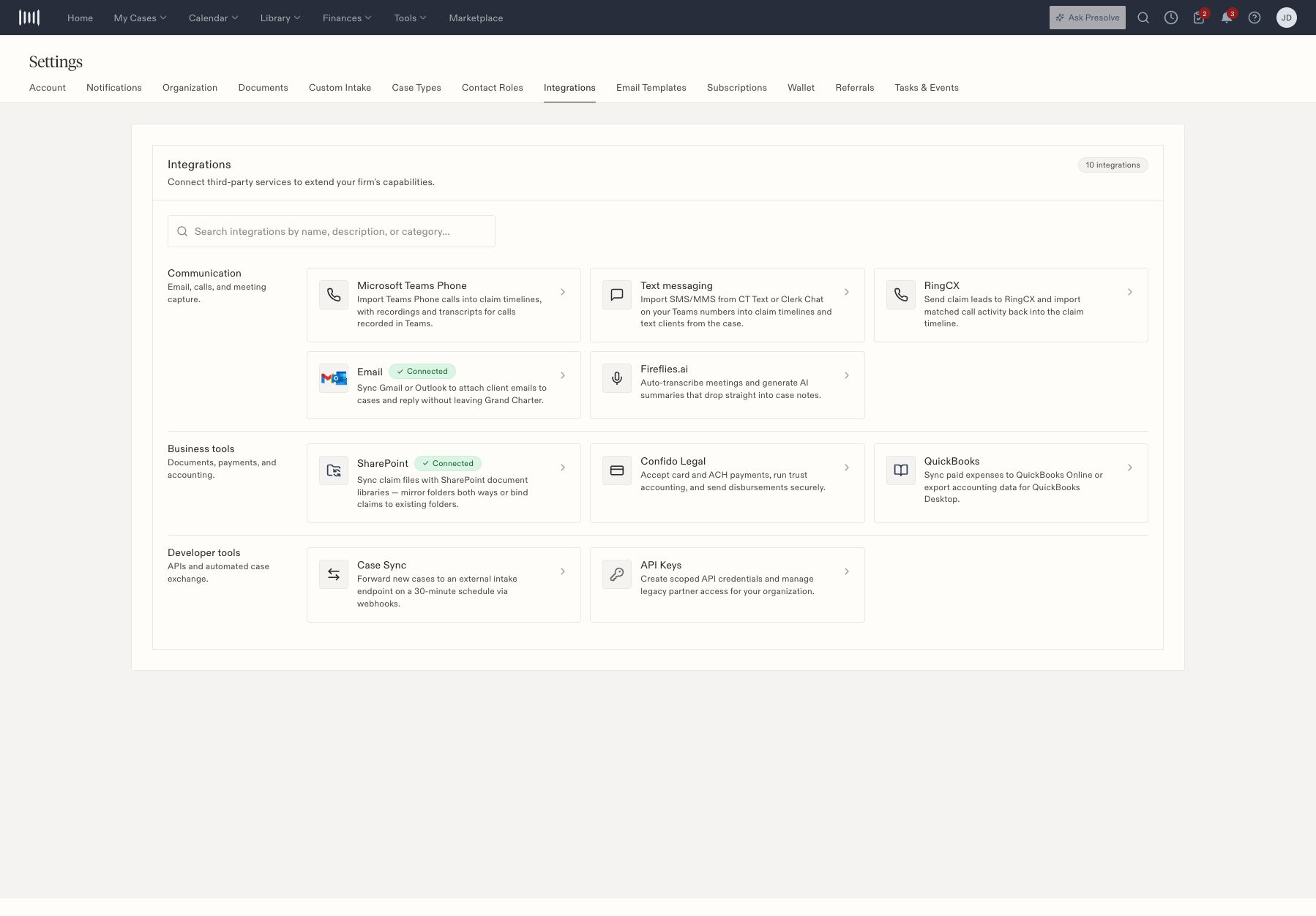
Open Settings → Integrations. Use the search field or category cards to locate the service your firm uses.
Integrations grouped into Communication, Business tools, and Developer tools.

Integrations grouped into Communication, Business tools, and Developer tools.

Check a connection

  1. Open the provider’s card.
  2. Review its current status and whether it is a personal or firm-managed connection.
  3. Confirm that the intended provider account and mappings are configured with your administrator.
  4. For missing activity, identify one expected item and check its matching matter record.
A Connected badge describes connection state. It does not prove that a particular email, call, meeting, file, or expense has synchronized.

Ask the right person

Provider authentication, permissions, and mappings usually need the person who manages that account. Staff can help by supplying the case, item, expected result, and approximate time. Avoid repeatedly reconnecting an account to troubleshoot a single missing record. Email and calls explains the communication entries. Files and accounting integrations covers SharePoint and QuickBooks orientation. For API access, send your integration administrator to service accounts and scopes.

Provider guides