

Choose a case view
In My Cases, use Pending Leads, Active Cases, Closed Cases, or Referrals. Pending Leads includes New Leads, Under Review, and Converted; Active Cases includes Pre Suit, Litigation, and Settlement Pending. A signed client can appear in Converted and Active or Closed at the same time. These are views of the same record. See the lead and matter lifecycle for source visibility, signing, closure, and referral rules.Move around a matter
- Open My Cases and select the matter you need.
- Check the case name and number before making changes.
- Use the matter’s tabs or side navigation to select an area. The layout depends on the case type and your firm’s configuration.
- In a workspace with Case Assets, expand it to find shared areas such as Documents, Records, Tasks, Calendar, and Accounting.
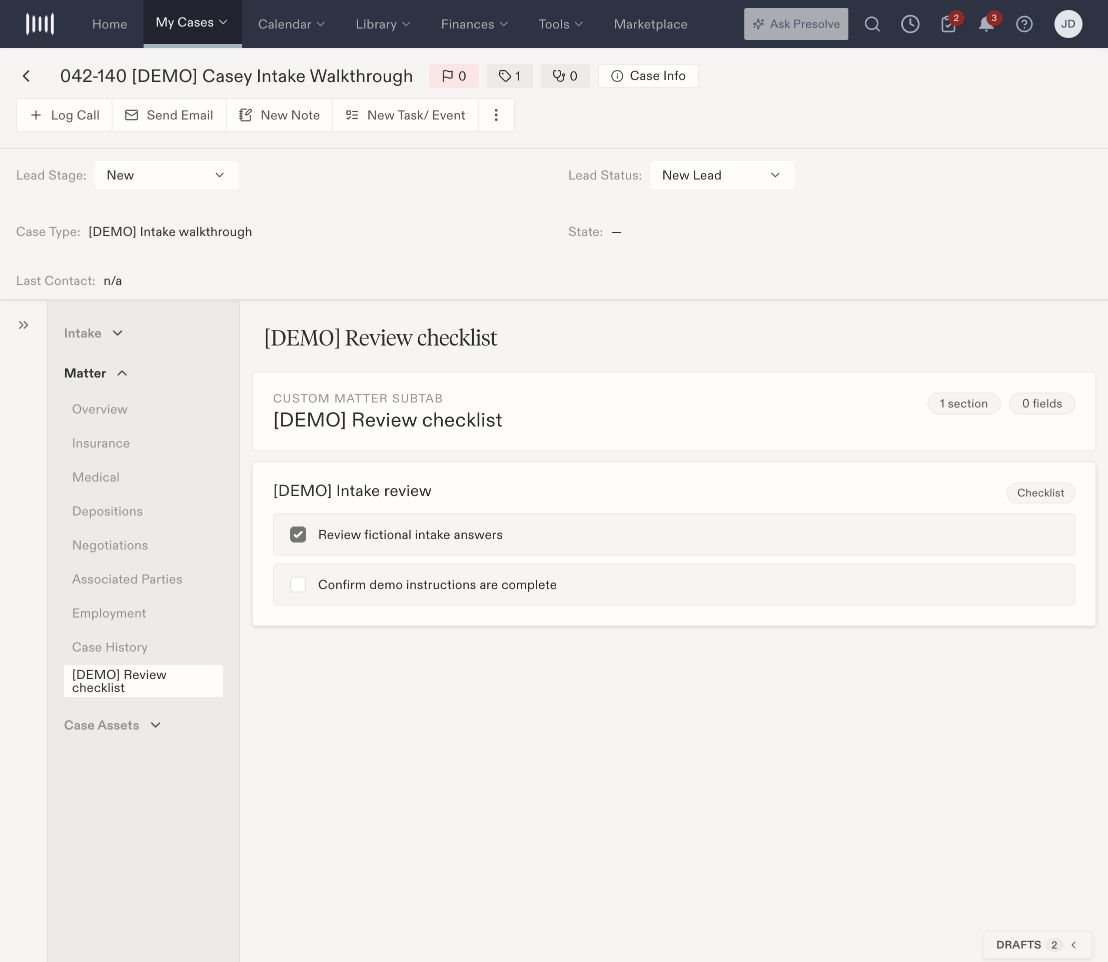
A fictional matter with Intake, Matter, and Case Assets navigation. The checklist is an example configured by the demonstration organization.