

Choose the activity type
The workspace includes All Records, Emails, Calls, and Notes. Start with All Records when you are unsure which type you need, then narrow the view. Text availability depends on your firm’s communication configuration.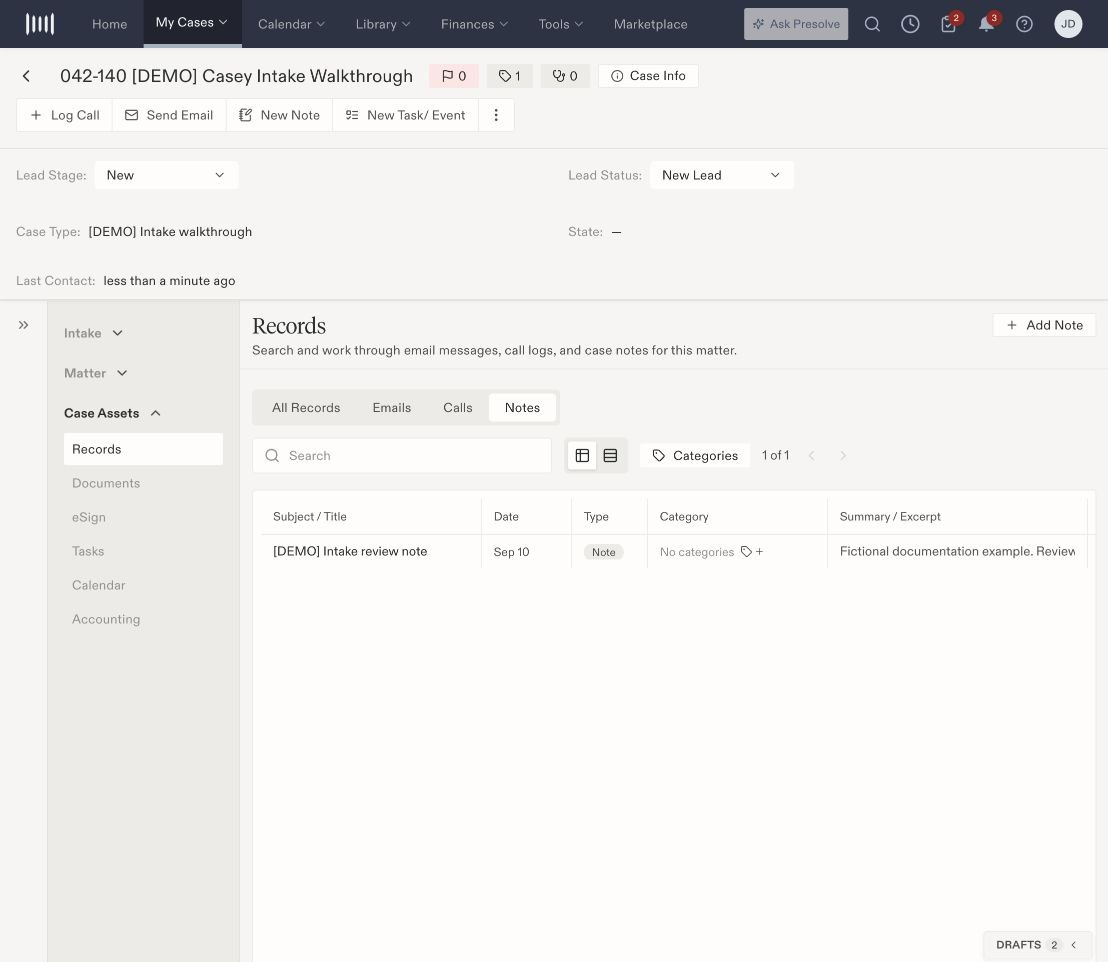
The Notes view contains a saved internal note on a fictional matter.
Search and compare entries
Use the search field and Categories filter. Switch between Table view and Expanded view to change how you review the results.
A preview can be shorter than the full entry. Inspect the record’s contents before using it to establish what was said or done. An internal note and an outgoing message are different types of activity.
Start related work
All Records offers Add Note, Log Call, Compose Email, Sync, and Settings in this layout. A narrower type view can show fewer actions.- Use Add Note to record information on the case.
- Use Log Call to record call information. To dial, choose Call in browser or Call in Teams. Review the actual result before recording an outcome.
- Use Compose Email to prepare a message, then review the sending account, recipient, content, and attachments before sending.
- Sync is labeled as checking for new messages. Inspect the resulting records rather than treating the button click as proof of delivery.