

Divorce workspace
Evidence groups supporting material and displays request states such as Waiting on Plaintiff and Plaintiff Acknowledged. Those labels describe the request state; inspect the actual files before treating an evidence category as complete.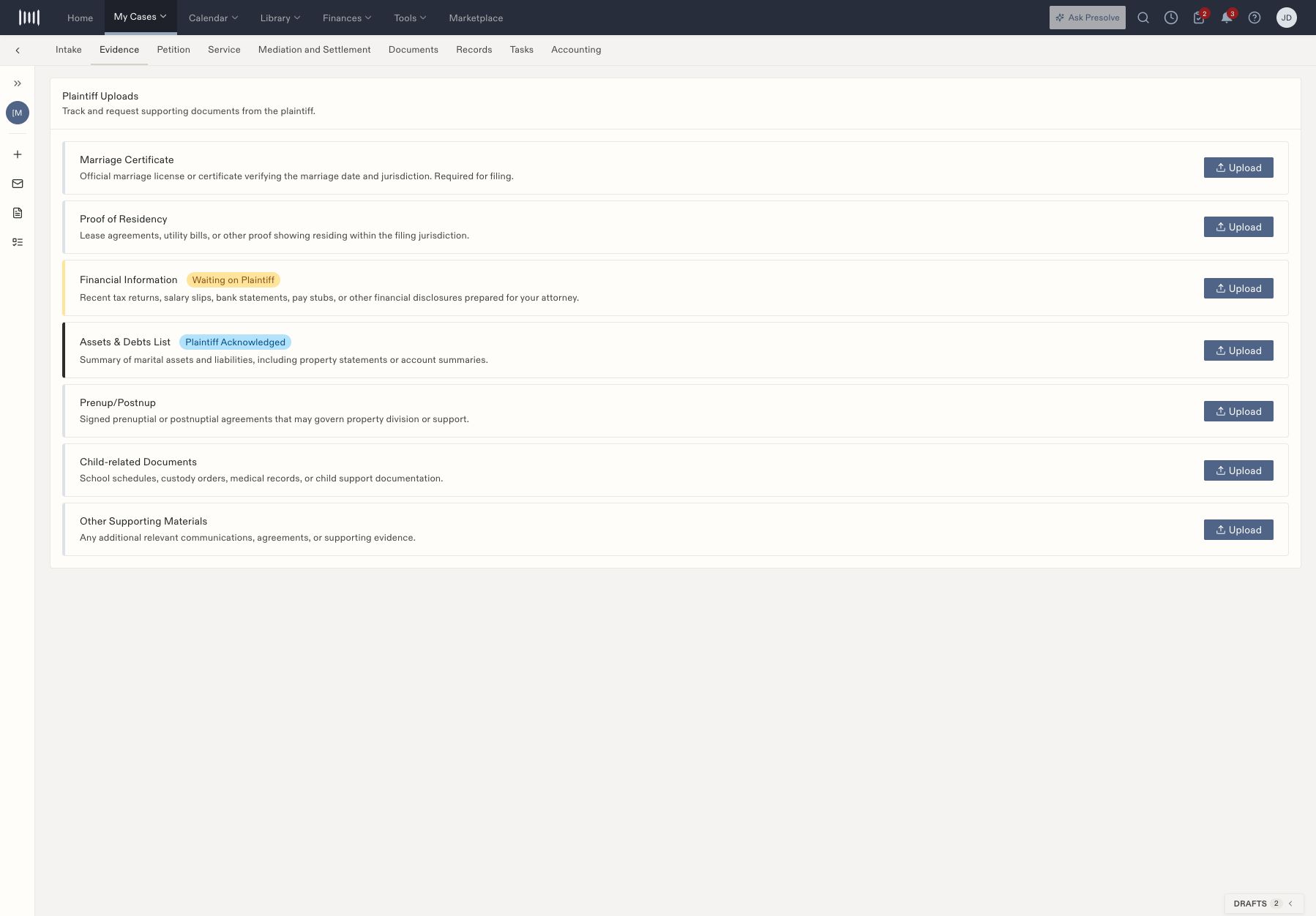
A fictional divorce Evidence tab with categories and distinct plaintiff-request states.
Custody workspace
In addition to Evidence and Petition, the custody layout can include Mediation and Court Prep, Custody Hearing, Final Order Review, Post-Order Compliance, and Post-Order Enforcement. Read prerequisite messages before using gated controls. A form labeled Coming soon is not an available completed document. Some custody actions explicitly record information rather than perform an external act: Sign & Submit records metadata, Record client notified records a stage or status, and Record motion filed records workflow progress. Complete and verify the actual signing, notification, or filing through the appropriate process.Shared work
Use Documents, Tasks, and Accounting for shared case work. The example’s jurisdiction-specific labels and dates are not instructions for every court or family-law case; follow the responsible attorney’s requirements.Record divorce service information
Open Service and compare the service status, date, process-server name, email, phone, and notes with the actual service record. Use the field’s edit control to correct a value and confirm the saved result. Under Proof of Service, use Upload for the affidavit or supporting document and verify that the intended file appears.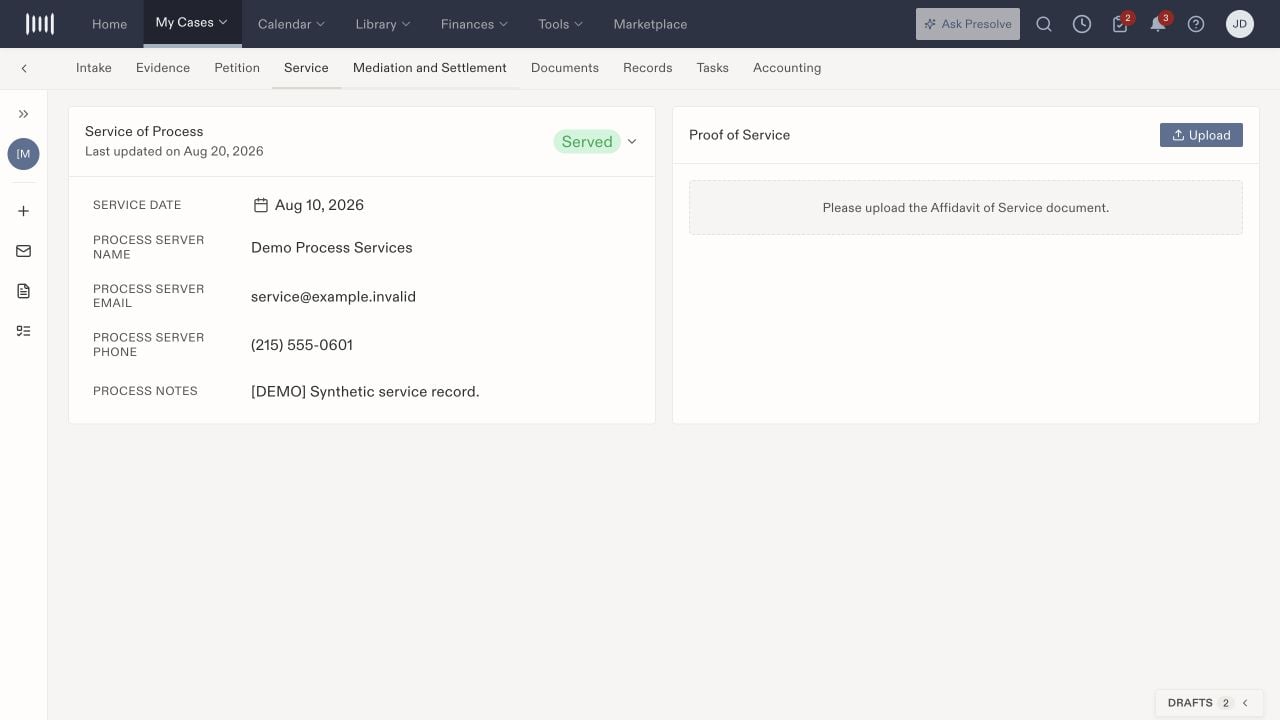
Service details and proof of service are separate. This fictional record has a Served status but no uploaded affidavit.
Track divorce mediation and finalization
Open Mediation and Settlement to review the status, mediation date, ADR deadline, settlement notes, and draft agreement. Edit the relevant field when information changes, then check it again after saving. Use Upload for the draft agreement and review the actual file before relying on its presence.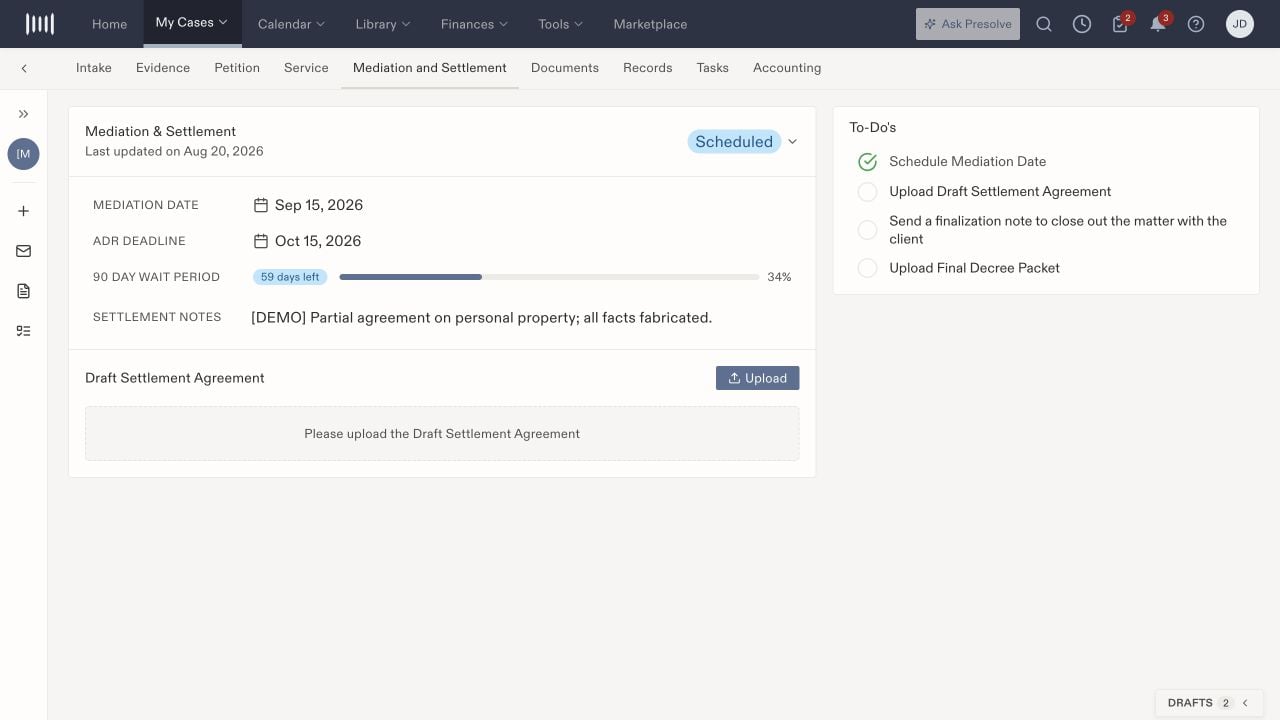
Mediation dates, agreement material, and finalization to-dos appear together.
Work through custody stages
In Post-Order Compliance, distinguish logging an event, uploading a motion, recording that a motion was filed, escalation, and closing the case. A closure control can remain unavailable while prerequisites are incomplete. Record what actually happened and create assigned follow-up tasks where needed.