

Find a case or contact
- Enter a name or distinctive search phrase.
- Wait for the matching results.
- Inspect the result group: Cases and Contacts are separate.
- For a case, check the case number and case type as well as the name.
- Select the intended result and verify the destination before making changes.
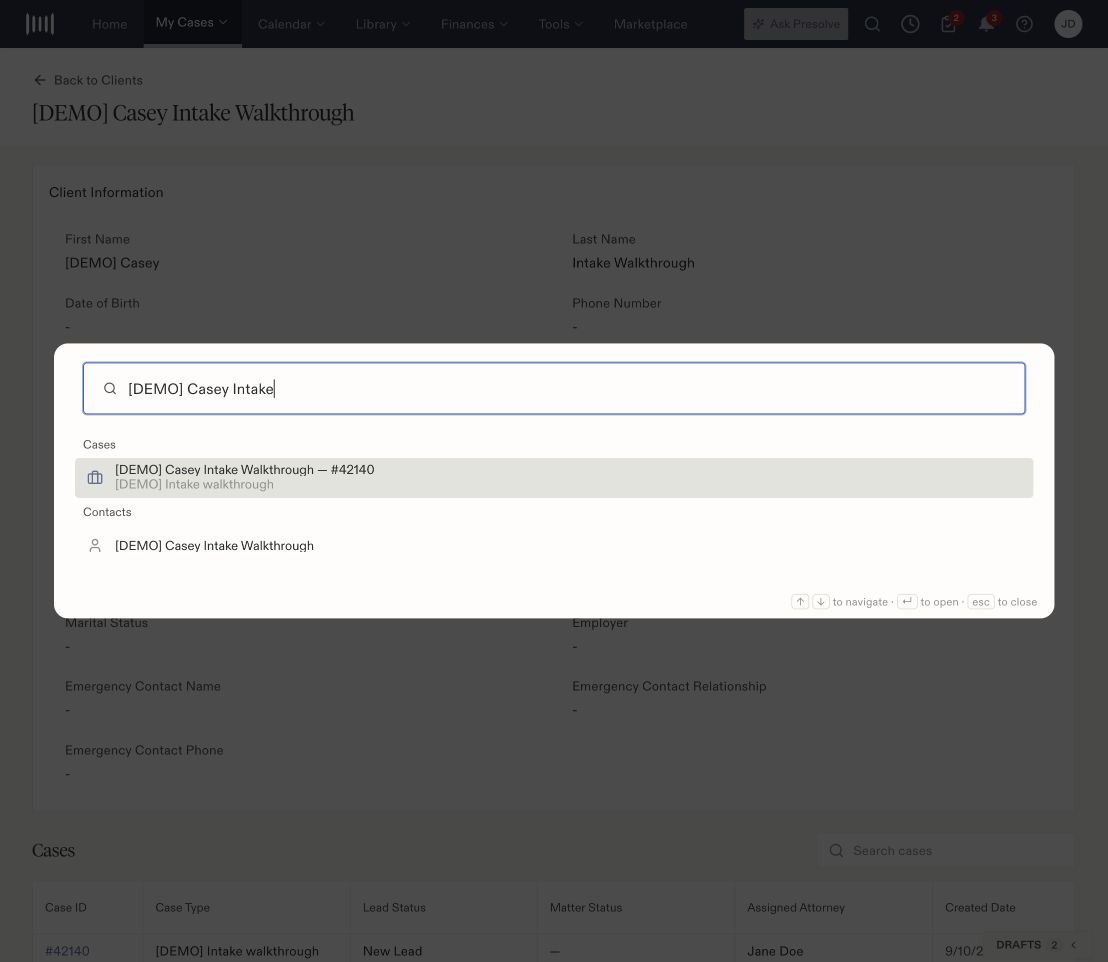
The same fictional person appears as a case result and a contact result.
Use a shortcut
With an empty search, the dialog can show recent results and these actions:
Selecting a shortcut starts its flow. Review the resulting form, case, and other required information before saving. Opening a shortcut alone does not create a record.