Open Settings → Referrals. These are organization defaults for referral handling. Review them with the person responsible for the firm’s referral process before saving.

Set agreement and routing defaults

Agreement Details includes the fee-sharing percentage, Enable fee sharing, Require client consent, and Cascade wait time. The wait time determines how long to wait before advancing to the next firm in a referral cascade. Use the agreement and consent requirements approved for your firm. The values in the screenshot illustrate a demonstration organization’s configuration; they are not a recommended fee arrangement.
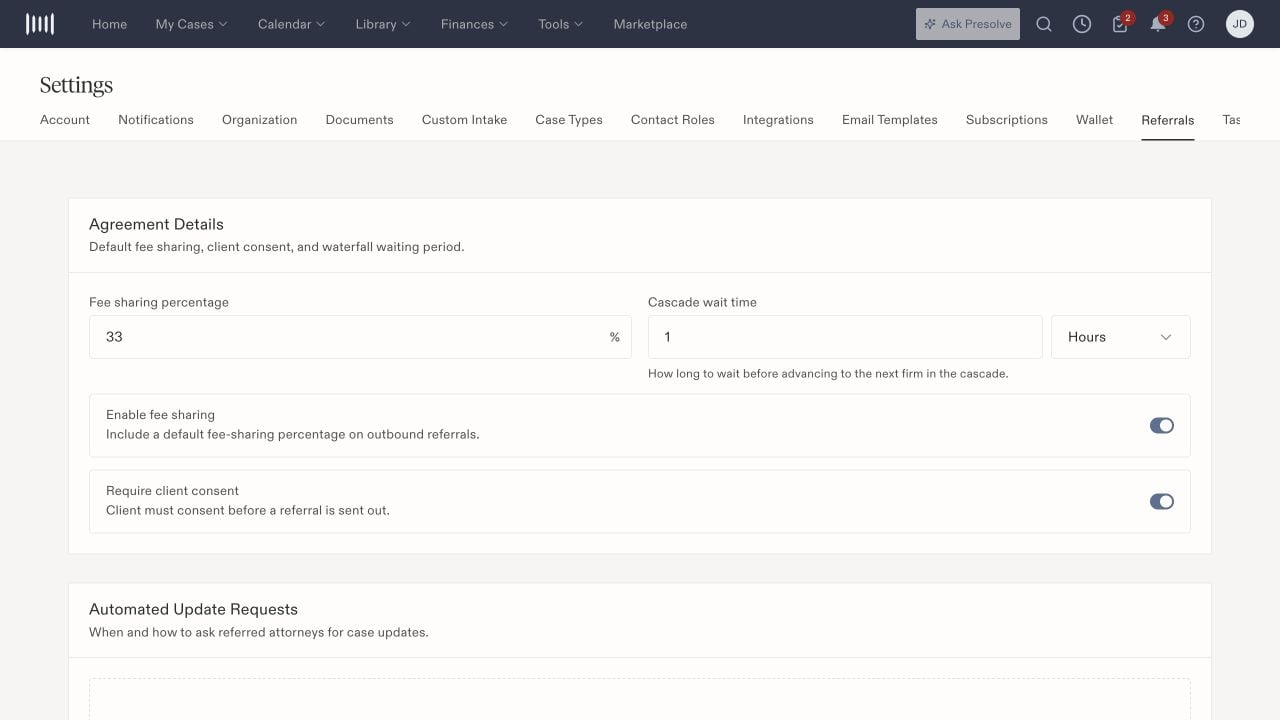
Referral settings showing fee-sharing percentage, cascade wait time, fee-sharing and client-consent switches.

Referral agreement defaults and cascade timing are configured separately.

Configure follow-up and message defaults

Automated Update Requests provides Add reminder schedule for recurring requests to referred attorneys. Review the timing and recipients before enabling follow-up. Under Additional Settings, Copy sending attorney on reminder emails adds the originating attorney to update-request communications. Additional notes template prefills notes on new outbound referrals. Default to marketplace changes the default routing destination; review it separately from direct-attorney referrals. A saved default is not confirmation that a particular referral was sent, acknowledged, or accepted. Inspect that referral’s record when checking progress.

Review automatic decisions

Auto Rejection includes an enable switch and a timeout. The detailed control describes automatically declining unacknowledged inbound referrals and notifying the organizations involved. Review this setting before relying on manual acknowledgment as your team’s only control. Auto-accept on acknowledge accepts a referral and matches the case to your organization when acknowledgment occurs. Leave it off when acknowledgment and acceptance must remain separate decisions in your firm’s process.

Understand the effect on case views

A sent or acknowledged outbound referral keeps a signed, open matter in the originating firm’s Active Cases until acceptance is recorded. Once accepted, it leaves that firm’s Active Cases and remains in Referrals and Pending Leads → Converted. Acceptance does not itself close the shared matter or transfer its ownership. With Auto-accept on acknowledge enabled, acknowledgment can be the event that records acceptance, including for CaseXchange updates. Check the saved referral status before deciding who still has active responsibility. See the lead and matter lifecycle.

Save and verify

Select Save Settings after reviewing the changes. Reopen the page and confirm the saved values. Reset to defaults is a separate action; review the resulting settings before saving them. For staff permissions, see roles and permissions. For reusable message content, see email templates.