Open Settings → Notifications. These preferences control which notification types you receive by email and SMS.

Review the settings

  1. Check the master Email and SMS switches in Account settings first.
  2. Return to Notifications and expand the relevant category.
  3. Review its individual notification types and each channel’s switch.
  4. Make the intended changes, select Save Changes, and reopen the page to check the saved preferences.
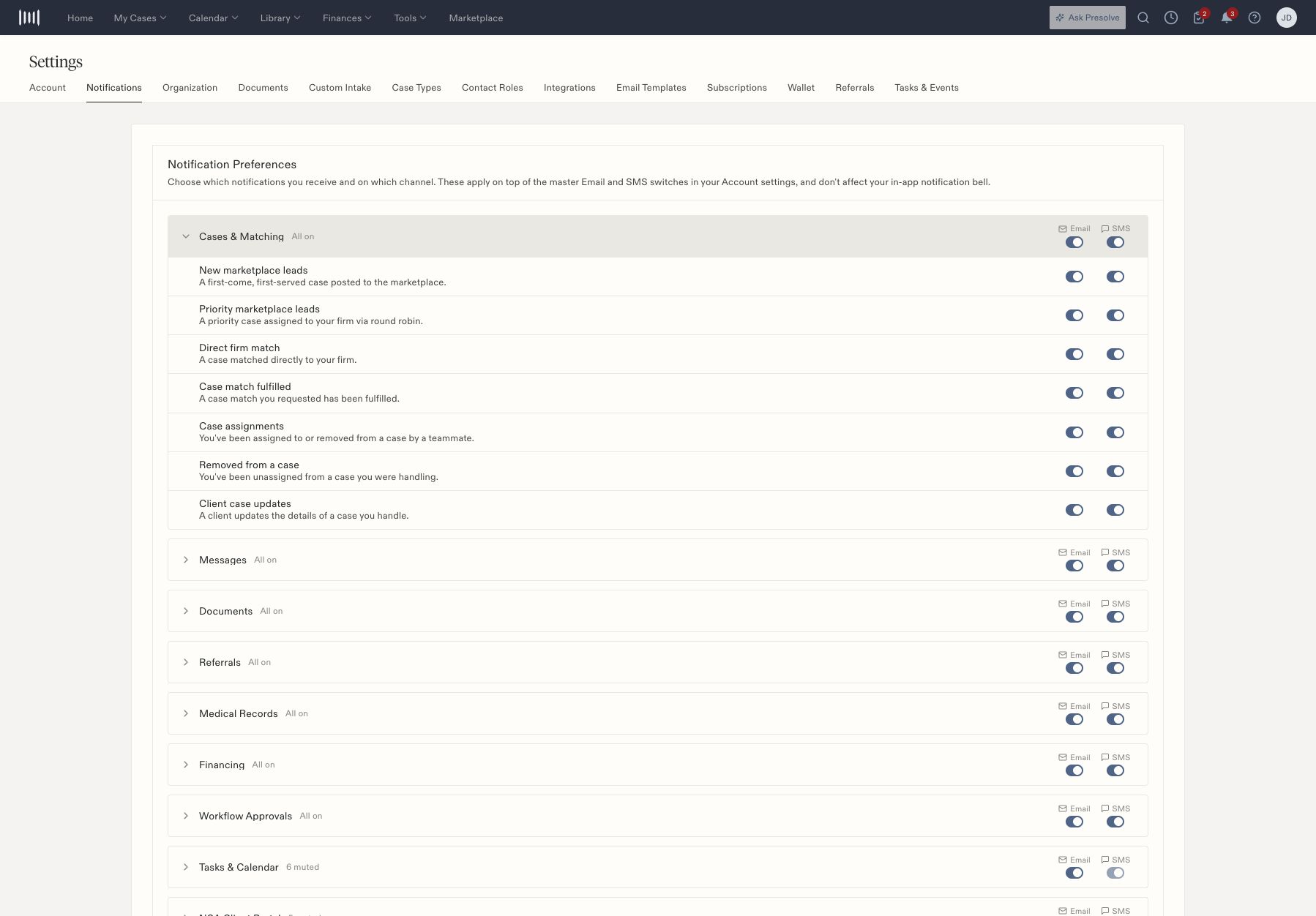
Notification categories with separate email and SMS controls and an expanded category.

Notification categories with separate email and SMS controls and an expanded category.

The page states that these preferences apply on top of the Account master switches. They do not affect the in-app notification bell. A category can contain mixed settings even when its group-level switch appears on, so expand it when checking one particular event.

When a notification is missing

Check the event type, individual channel, and master switch. Then verify the underlying action occurred and that you were an intended recipient. A saved preference does not itself generate an event or establish email/SMS delivery. Document reminder configuration and internal e-sign notification rules are in Settings → Documents. Task-specific Notify Client is a separate choice when creating or editing a task. Related: Create a task and integration status.