Open Ask Presolve from the top navigation. Start with a clear task, the relevant facts, and the form of answer you need.

Start a focused conversation

  1. Select New Chat.
  2. Enter your question in the message box. State whether you want an explanation, checklist, or draft.
  3. Send the message and read the answer.
  4. Check the answer against the information you supplied before using it in your work.
For a practice example, use fictional facts: “An accident report is on file, but medical bills and treatment records are missing. Turn those facts into a three-item staff checklist. Use only these facts and take no actions.”

Refine the answer

Continue in the same conversation with a specific request, such as “Rewrite the three items as a concise checklist for a paralegal.” You can ask for different wording or format without restating the entire conversation.
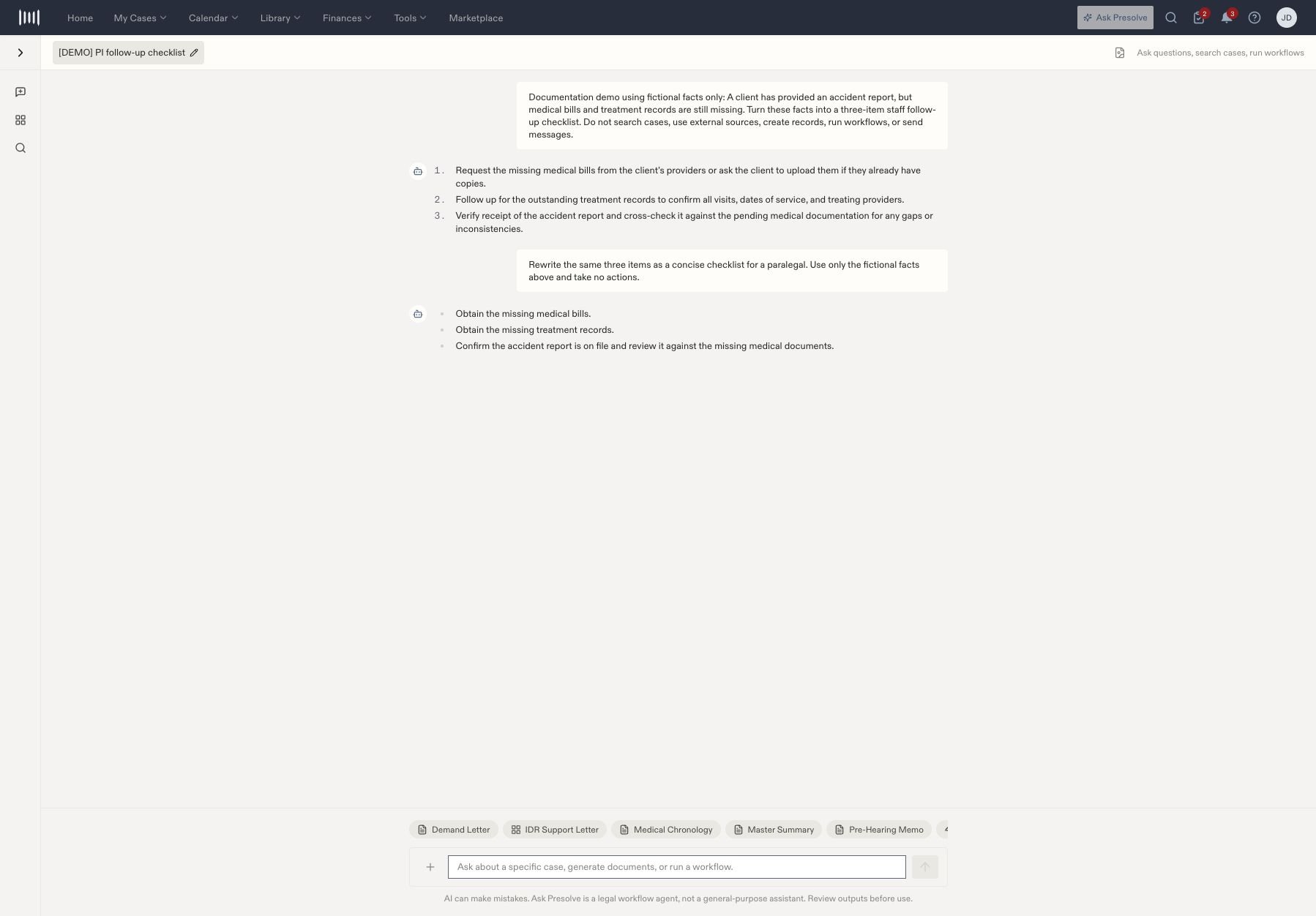
Ask Presolve conversation showing a fictional request about missing medical documents and a concise follow-up checklist.

A fictional checklist request followed by a shorter version for a paralegal.

Name and reopen the chat

  1. Select the conversation title at the top.
  2. Enter a name you will recognize and press Enter.
  3. Open the conversation from Recent when you return. Expand the history sidebar if it is collapsed.
When you request an action, inspect its result separately in the relevant case, document, or communication record. Review generated material before using it in a matter. To turn reviewed text into a saved matter draft, see Create and save a matter document. For a specific drafting or analysis task, choose a tool from the Tool Chest.