

Matter inventory
Question: Which matters are in the captured population, who is the primary owner, and when were they last active?- Select Get Project List as the record type and select Load fields.
- Select the columns below, using Value as the calculation.
- Set any intended date, phase, or archive filters explicitly. For an active-only inventory, filter Is Archived to No; otherwise retain archived matters.
- Run the report and inspect its capture status and total.
- Select Save to Reports. In the report editor, arrange the columns and save it as Matter inventory.
Place names and operational fields first and the source identifier last. Blank dates mean no usable value is available in this result; do not interpret them as zero or today’s date.
For a full inventory, wait for a finished capture and check source errors and account scope. Saving a provisional preview does not turn an unfinished capture into a complete inventory.
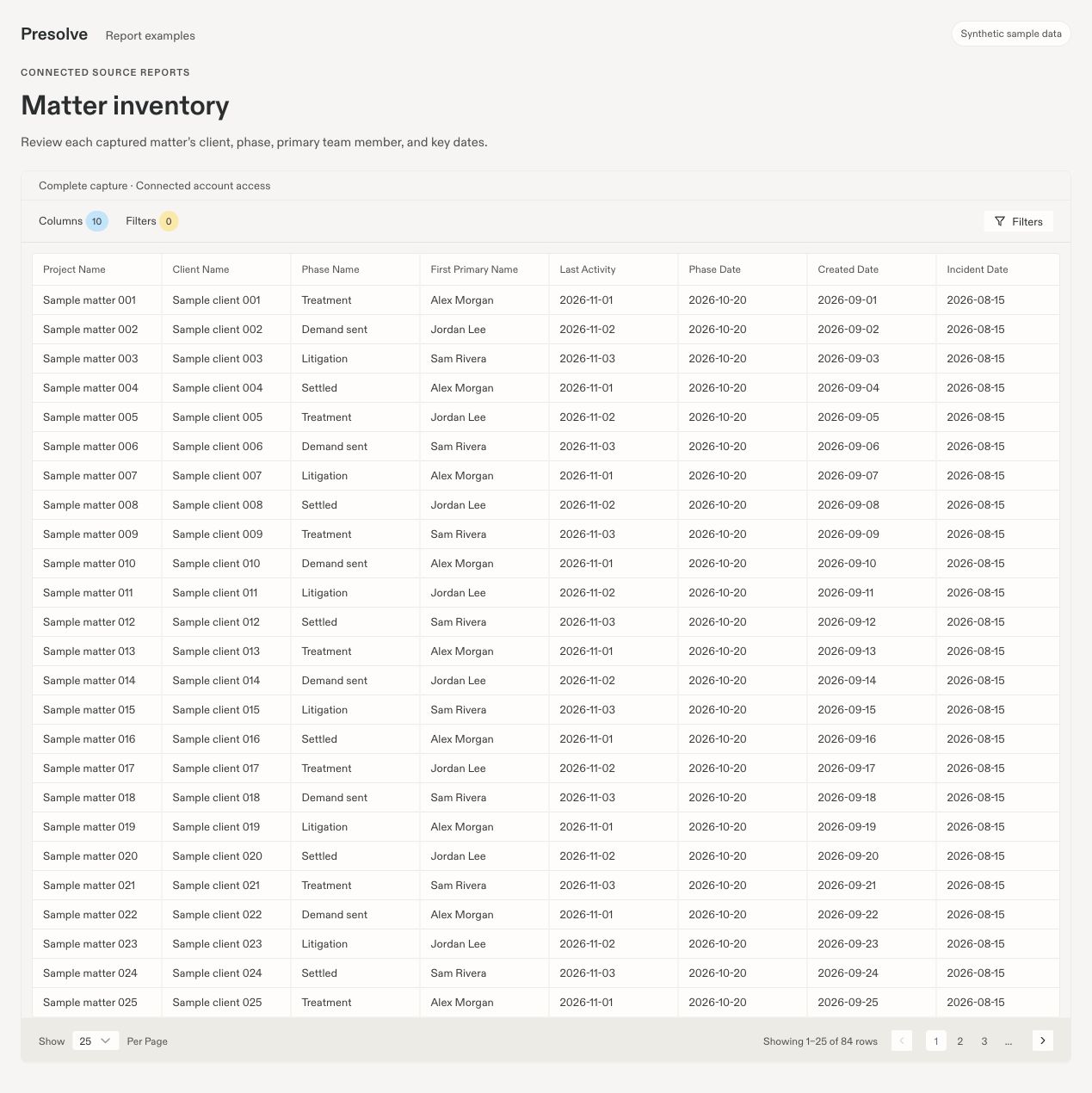
Sample matter inventory: names and case details first, with 25 of 84 matching rows on the first page. Additional columns are available by scrolling horizontally.
Cases by phase
Question: How many distinct cases are in each recorded phase?- Select Get Project List and load its fields.
- Clear the initially selected columns that you do not need.
- Select Phase Name, leave its calculation as Value, and enable Group by.
- Select Source case ID and set its calculation to Count distinct values.
- Apply the same archive and date scope you intend to compare with your inventory.
- Run the report, then save it as Cases by phase.
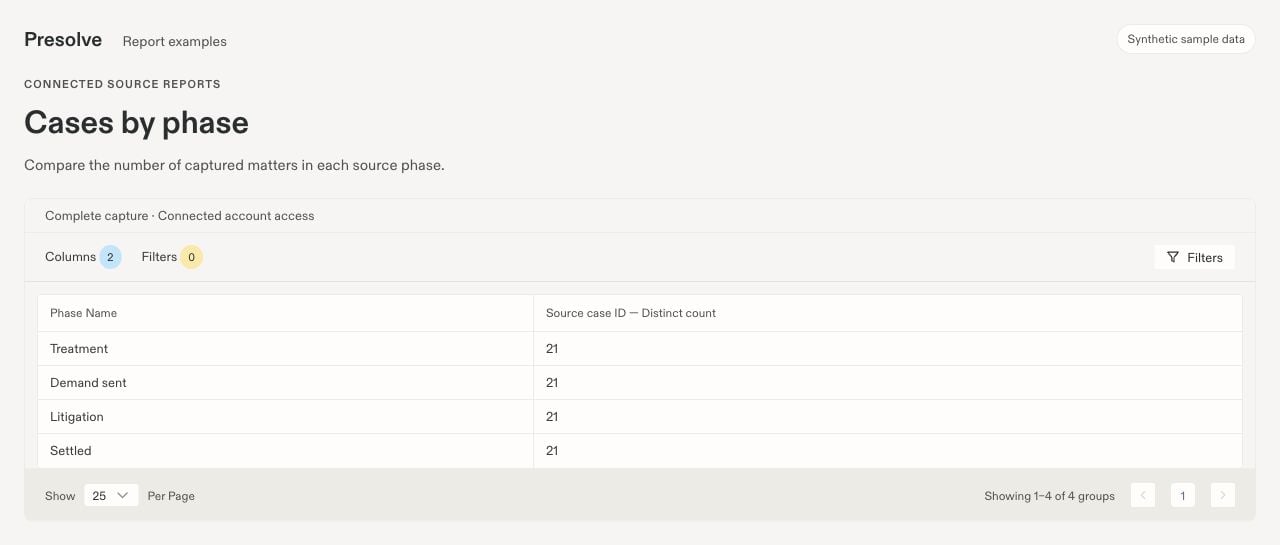
Four phase groups in the sample result. Each contains 21 distinct cases; the footer counts groups.
Recorded note activity
Question: What notes were recorded during a defined period, by whom, and on which cases?- Select List project notes and load its fields.
- Select Created At, the available Author or Author name field, Subject, and Source case ID.
- Set a defined date window on Created At and sort by that source timestamp.
- Run the report and inspect author labels and representative notes.
- Save it as Recorded note activity, including the date window in the description or name.
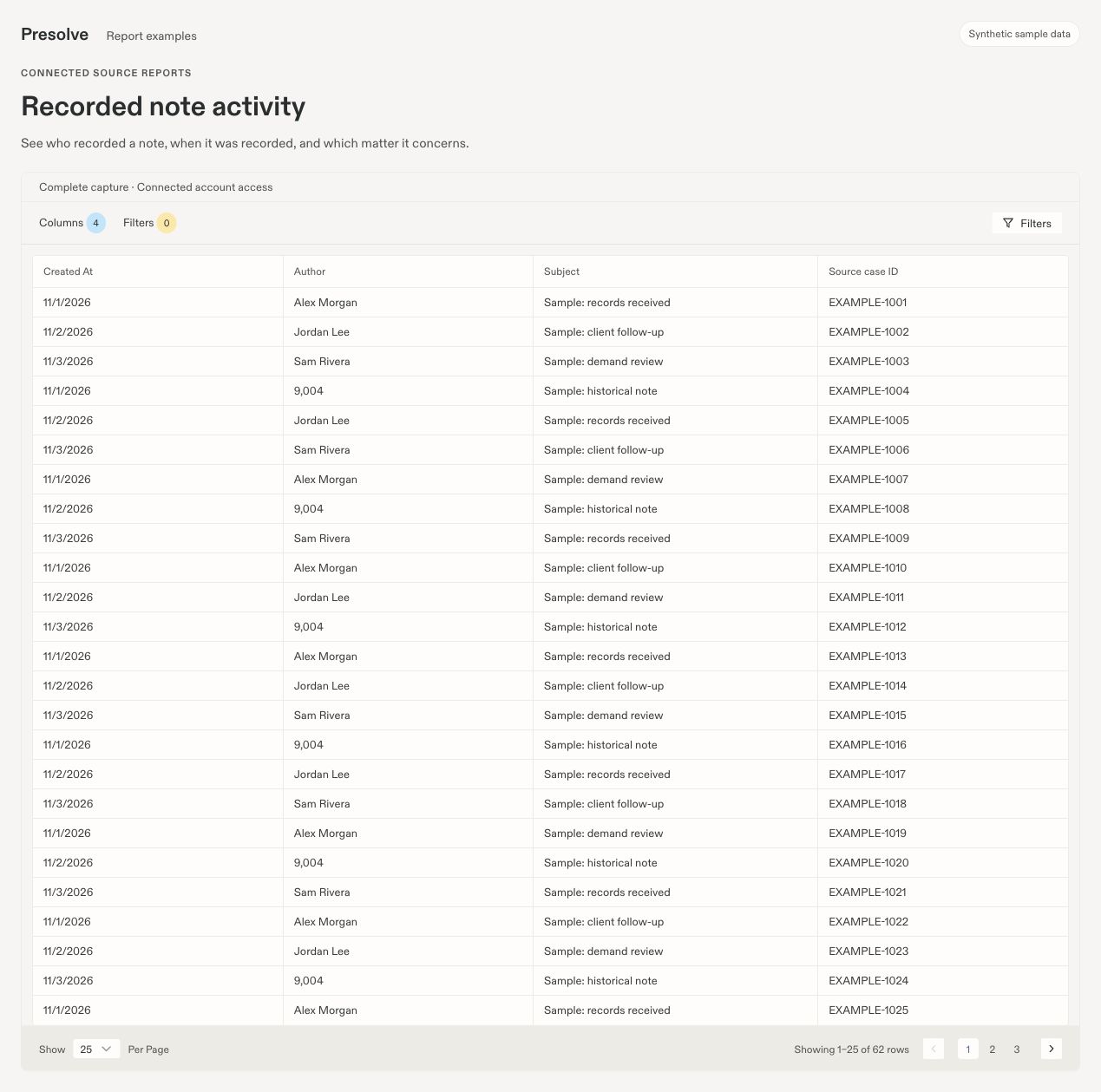
Sample note activity with resolved author names. The unresolved sample author remains an identifier.
Field coverage by office
Question: Which offices have the largest gaps in settlement, referral, treatment, or case-date fields?- Have an administrator save the office and field mappings and generate an analysis for the intended capture.
- Select Field coverage by office in the Report selector.
- Compare Cases evaluated and Eligible cases alongside the recorded percentage.
- Review Missing, Conflicting, Invalid, Unavailable, and Unmapped counts before drawing conclusions.
- Use Case field coverage and View evidence to inspect representative cases. Save the case-level view with Save case coverage to Reports if you need a working list.