

Open the right source
Select the intended connection, then Filevine mirror and coverage. Use the Report selector to choose a view:
If access is unavailable, ask your administrator to review the connection and reader settings. A report link does not grant source access.
Build a custom report
- Choose Custom report.
- Select a Record type. For Filevine case inventory, use Get Project List.
- If the record type uses a custom section, enter its Section identifier (optional). Leave this blank for record types without a section.
- Select Load fields.
- Use Find a column and Show field to choose the output. Review each field’s Type before filtering or calculating.
- Add filters and sorting. For a summary, select Group by on the category fields and a Calculation on the values to summarize.
- Select Run report and inspect the result state, rows, and totals.
Save it as a normal report
After running a custom query or source-record view, select Save to Reports. For case coverage, use Save case coverage to Reports. An unfinished capture requires an explicit Save as a provisional preview choice. Use that for exploration; it does not establish full coverage. The saved report opens in the normal report builder and can be reopened from Saved reports. Use Edit report to adjust its configuration, arrange the columns, and select Save report. Reopen it to verify the saved result. Saved connected-source reports are tied to the capture used to create them. Refresh results reruns the saved configuration against that capture; it does not silently switch to a newer one. When you need a later capture, return to External data, verify the source and capture shown, and save the intended report.Understand completeness, totals, and preparation
These describe different parts of a report:Result counts
For grouped reports, the total counts groups. In a cases-by-phase report, the footer counts phase rows; the case-count column counts cases.
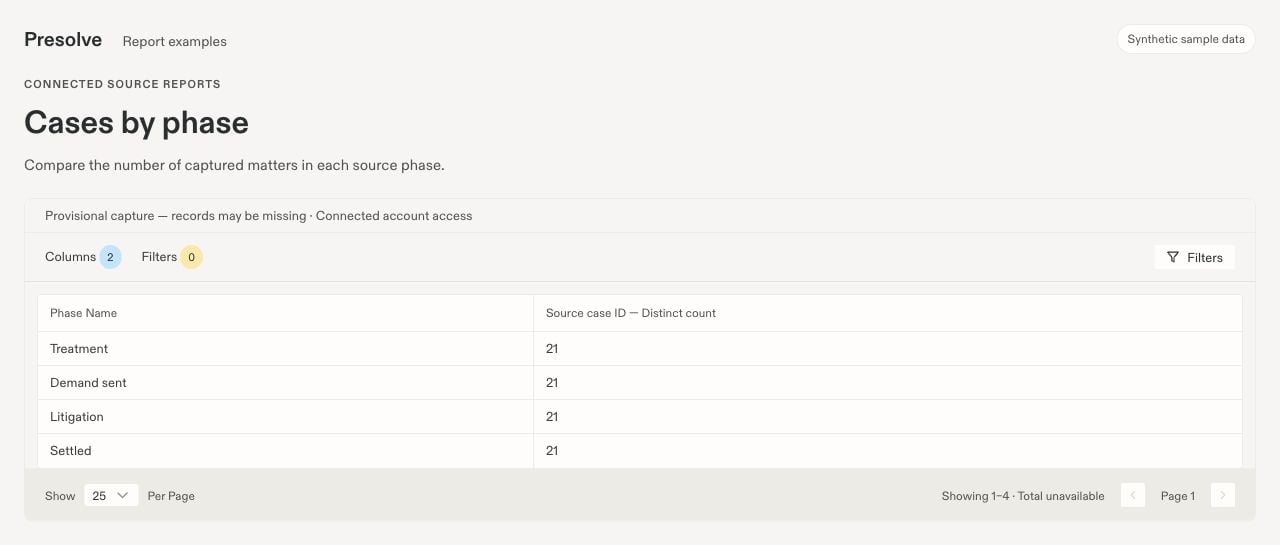
Sample result from an unfinished capture. The provisional notice and Total unavailable message remain visible even though rows can be inspected. All data is fictional.
Report preparation
Preparing your report means the query has not finished preparing its result. An empty table during preparation does not mean there are no matching records. Use Check progress if needed. If Report preparation needs attention appears, inspect the message and use Retry preparation when available.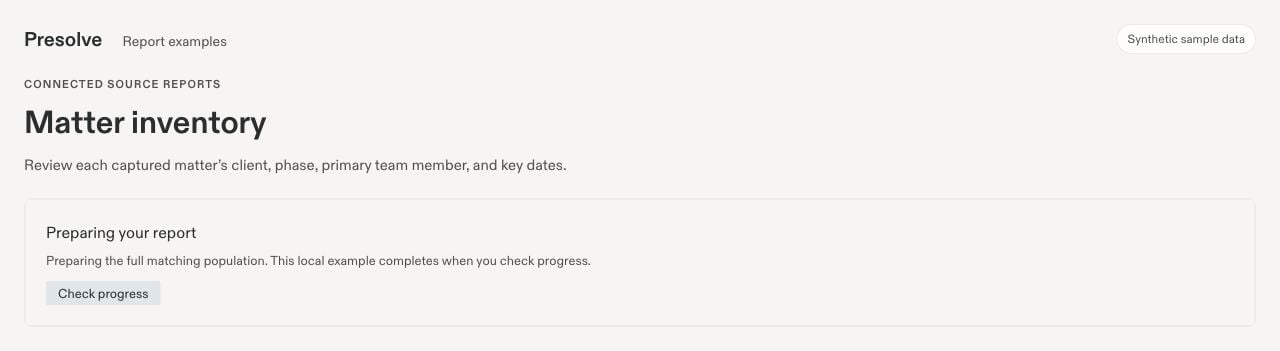
The report preparation component in a local example. Preparation is shown explicitly instead of an empty result table.
Read coverage and recovery reports
Coverage reports use the administrator’s saved field mapping and an analysis of a defined capture population. They answer whether expected information is recorded in the mapped fields.
In Field coverage by office, the percentage uses eligible cases with known applicability and available data. Unmapped, unavailable, and not-applicable fields are excluded. Recorded values include conflicting values, so a high recorded percentage is not a measure of accuracy. Review the counts alongside the percentage.
Recovery suggestions look for supported candidate values in available evidence. Inspect the proposed value, source quote, method, and View evidence link. Check how many available sources were scanned. No suggestion means none was found in the scanned evidence; it does not prove the information is absent everywhere.
Where a supported review action is available, select the intended Presolve case and editable field, preview the change, and verify the source and case match before applying it. This changes the selected Presolve field. It does not write back to Filevine.
Use the same source in Ask Presolve
Ask access must be enabled separately for your approved account. Name the source, the question, and the coverage you expect. For example:Using the connected Filevine source’s captured project records, list project name, phase, primary owner, and last activity. State which capture and filters you used, and flag incomplete coverage.For evidence questions, ask for the supporting source passages and inspect the citations. Document evidence depends on available processing results. A chat answer should not be treated as an exhaustive inventory unless its source population and result limits support that conclusion.
Troubleshoot a report
Continue with report recipes or exports and scheduled delivery.