

Complete finished work
- Find the task using the view and filters.
- Open the row’s Status menu and select Completed.
- Select the Completed view and locate the task again.
- Confirm its status and description match the work you finished.
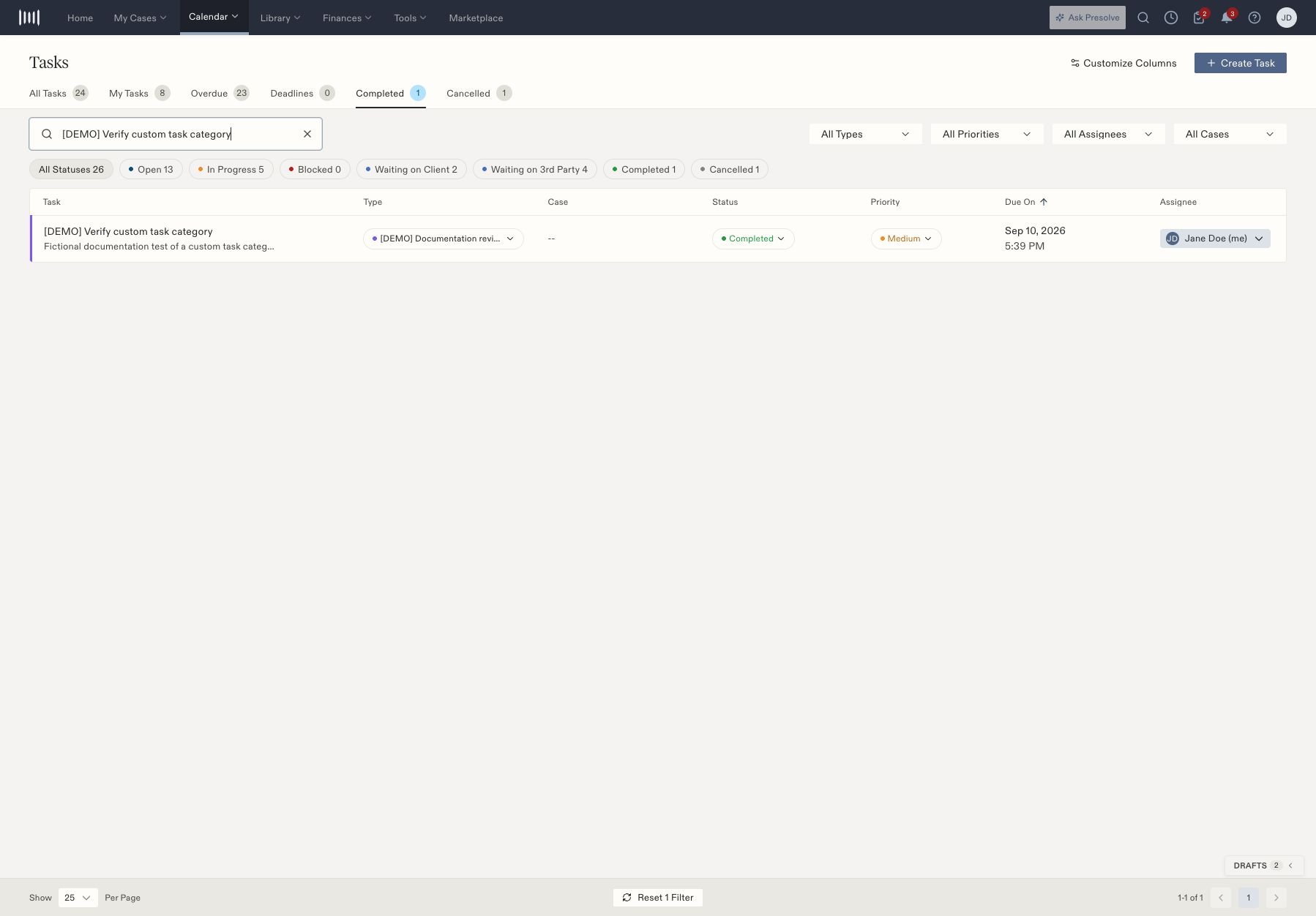
A fictional completed task found by title in the Completed view.
Reopen or cancel
To reopen, find the task in Completed, open its status menu, and choose Open. It returns to the active task list. Check its assignee and due date before resuming work. To cancel work that should no longer proceed, find the task and choose Cancelled. Use the Cancelled view to locate the retained record afterward.
These are task records. Complete any required filing, communication, or other external work before marking the corresponding task finished. Related: Create and assign a task.