

Navigate the phases
The phase shortcuts take you to the corresponding section. Expand a phase to inspect its fields and recorded progress. Use the applicable sections for your matter and follow the responsible attorney’s instructions for substantive decisions.
A phase’s label, checklist, or progress count helps organize work. It does not establish that a filing, notice, payment, or other external act occurred.
Review intake and screening
The Client Intake Questionnaire entry shows an answer count and submission state, with controls to expand or edit the questionnaire. Review the recorded answers and submission state separately: an answer count does not establish that the client submitted the questionnaire. Screening includes vehicle and repair information. The workspace also offers vehicle/recall-related controls. Check source records and the resulting information when using those tools; the presence of a lookup button does not establish that a lookup has run.Track engagement and document collection
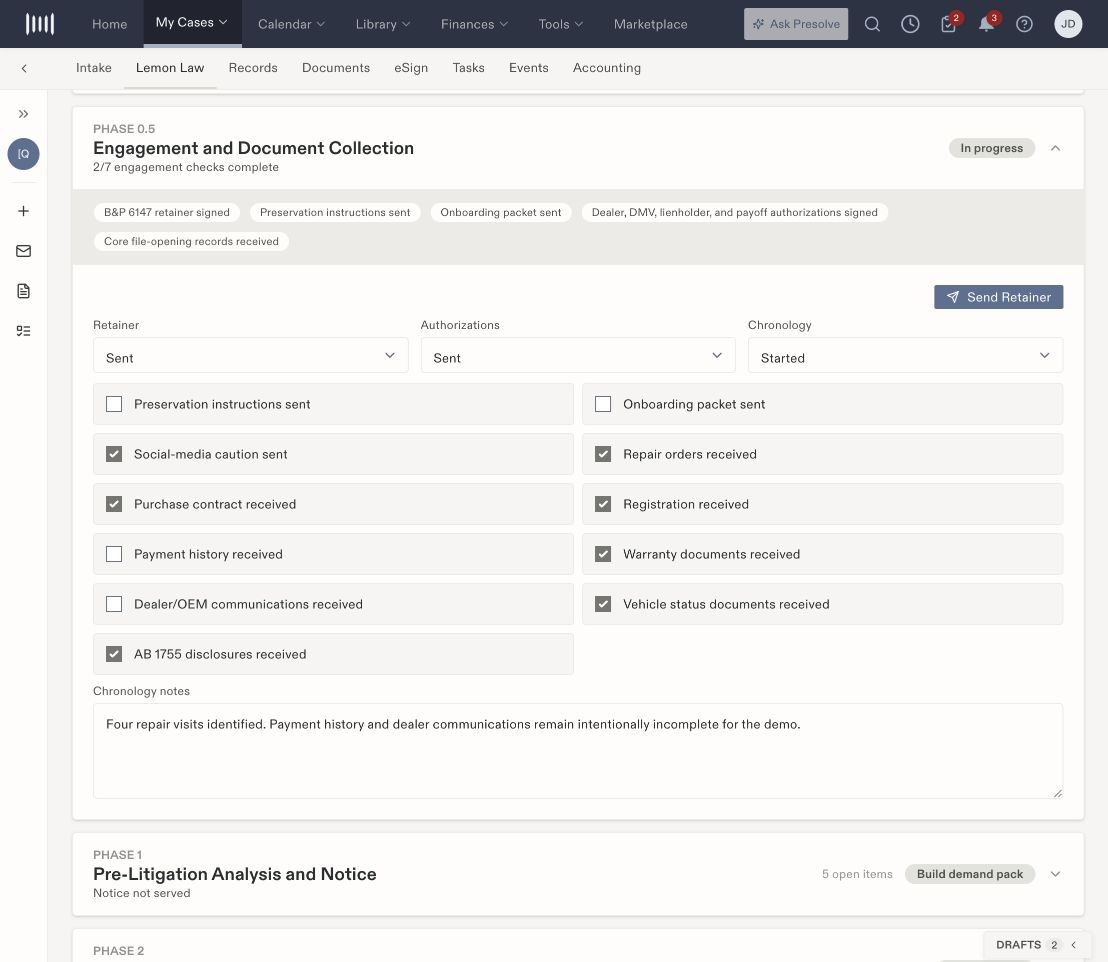
The engagement phase separates retainer, authorization, and chronology statuses from document-receipt checkboxes.