

Set up the template
- Select Create Template.
- Enter a Template Name that staff will recognize. This is the internal label.
- Choose a Category. It controls where the template appears in send dialogs.
- Review Delivery method and From address. Automatic delivery prefers the sending attorney’s Outlook connection; the template is shared, so it does not permanently borrow its creator’s mailbox.
- Optionally enter Default Cc and choose a Default attachment from Library.
- Enter the Email Subject Line and Email Body. Use Insert variable for case-specific values.
- Select Preview, review the content, and select Create Template when ready.
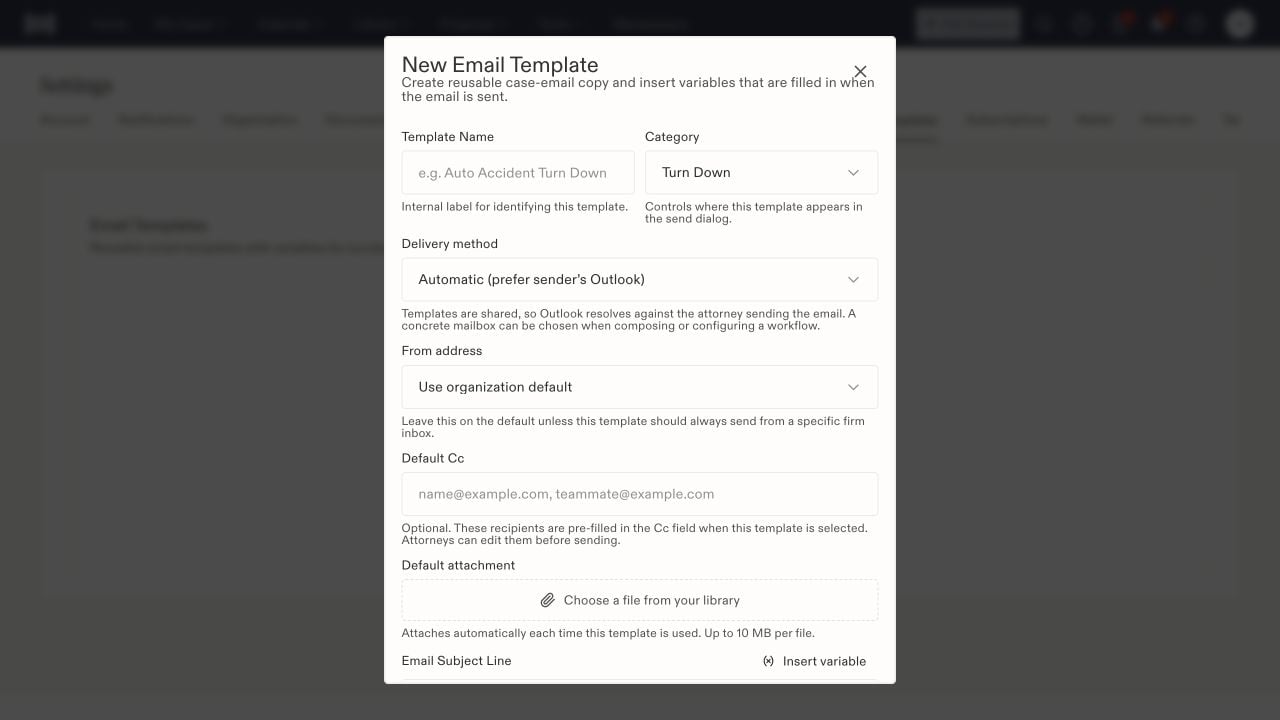
The email template form separates message placement, sending method, and default recipients.